
Coding agents are the most-shipped, most-judged AI surface of 2026. Engineers use them for hours a day, run them in parallel, and notice every wasted click. The UX problem is brutal: the agent edits files you own, runs commands you can break, and burns tokens you pay for. If the interface does not earn trust at each step, the agent gets uninstalled by Friday.
The coding agents winning in 2026 share a tight set of patterns: plan before action, diff before write, tool calls as the primary surface, a stop button that actually stops, and a token meter that does not lie. This guide pulls apart seven coding agents and the specific UX moves you can borrow when designing your own dev tool, IDE plugin, or coding-first product.
TL;DR, if you only steal one pattern, copy Cursor and Claude Code: render the agent's plan and file diffs as the primary surface, not the chat thread, and let the user accept, reject, or edit at every checkpoint without losing context.
Best AI coding agent UX: a brief overview
Cursor: Best coding agent UX inside the editor, file diffs are the conversation.
Claude Code: Best terminal-native coding agent UX, plan mode and todo lists make the loop legible.
Devin: Best autonomous coding agent UX, async work surface with a replayable session.
Cody (Sourcegraph): Best enterprise coding agent UX, code graph and provenance baked into every answer.
Aider: Best CLI coding agent UX for minimalists, git-native loop with no GUI overhead.
GitHub Copilot: Best mass-market coding agent UX, inline suggestions plus an agent mode for whole tasks.
Replit Agent: Best beginner-friendly coding agent UX, build, preview, and deploy in one canvas.
Product | Tool-call UX | Memory or context UX | Trust or citation UX | Speed | Score |
|---|---|---|---|---|---|
Cursor | Inline diff with accept or reject per hunk | Project rules file, indexed codebase | Diff preview before every file write | Fast streaming, instant edits | 9.4 / 10 |
Claude Code | Tool calls as collapsible blocks with arguments | CLAUDE.md, plan mode, todo list | Permission prompt per tool the first time | Fast in terminal, no UI overhead | 9.3 / 10 |
Devin | Browser plus shell plus editor in a session window | Persistent workspace, replayable steps | Step-by-step playback, knowledge cards | Slow on purpose, async by design | 8.6 / 10 |
Cody | Code-graph backed answers with snippets | Full repo and cross-repo context | Source file citations on every answer | Fast on indexed repos | 8.5 / 10 |
Aider | Git commits as the action log | Repo map, file add and drop in chat | Every change is a commit you can revert | Very fast, terminal-native | 8.3 / 10 |
GitHub Copilot | Inline ghost text, chat panel, agent mode | Repo indexing, workspace skills | Suggestion attribution and policy filter | Very fast for inline, slower in agent mode | 8.4 / 10 |
Replit Agent | Build steps streamed into the workspace | Project state lives in the cloud workspace | Live preview pane as the verification | Fast end-to-end for small apps | 8.1 / 10 |
1. Cursor, best coding agent UX inside the editor
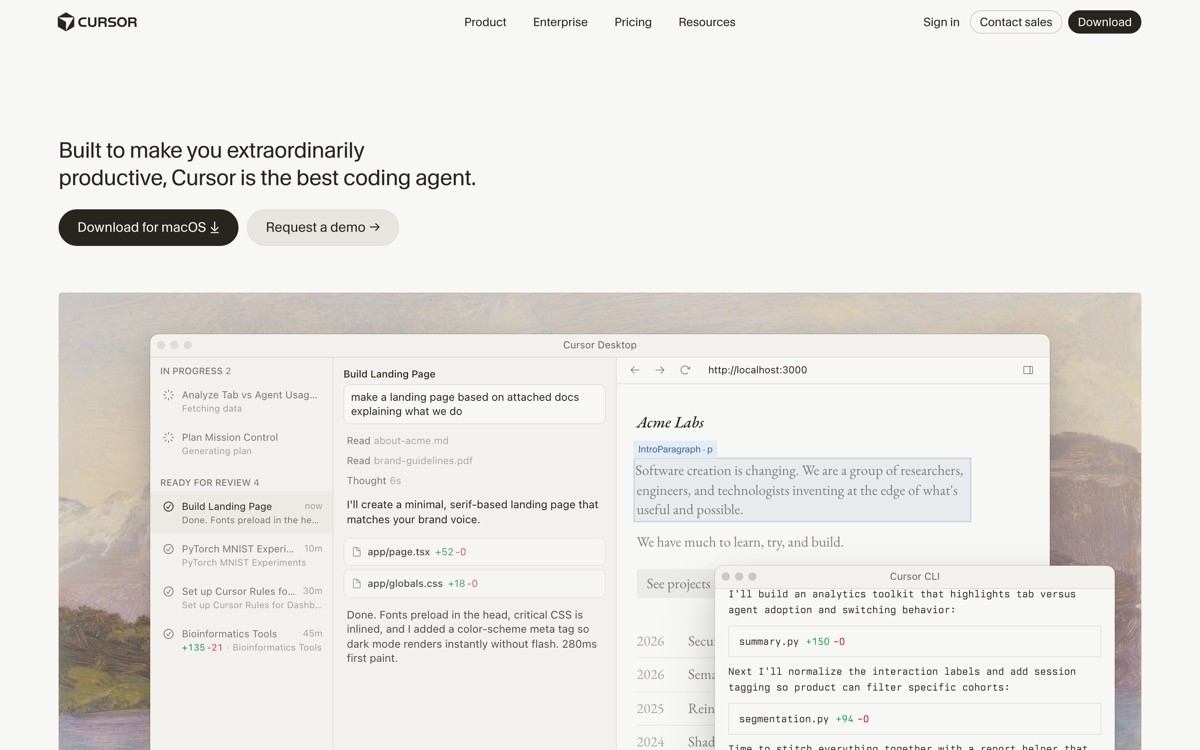
Cursor is an AI-native code editor built on VS Code that makes the file diff, not the chat thread, the primary agent surface. Every edit lands as an inline hunk you can accept, reject, or rewrite, and the agent never silently rewrites a file behind your back. That single design choice is why Cursor became the default coding agent for most professional engineers in 2026.
Cursor's distinctive value is the way it collapses the gap between proposing a change and applying it. The agent loop, the diff preview, and the editor itself are the same surface, so context never breaks. The Composer (multi-file edit) and Agent (autonomous task) modes both render their work as diffs you can scrub through before committing.
Key strengths
Inline diff hunks with per-block accept or reject
Composer mode for multi-file refactors with a single review surface
Agent mode that runs terminal commands, edits files, and reports back
Project-level rules file that conditions every prompt
Tab autocomplete trained on your editing patterns
Model picker exposed in the UI, including bring-your-own-key
Best for
Professional engineers shipping production code who want the agent and the editor to be the same tool
Teams standardizing on a single AI-native IDE without abandoning VS Code muscle memory
Pricing
Free tier with limited slow requests
Pro plan at $20 per month per user
Business plan at $40 per month per user with admin controls
Pros
Tightest diff-first UX in the category, almost zero context switch between agent and editor
Fast streaming with per-hunk acceptance keeps the engineer in control
Project rules turn one-shot prompts into a repeatable team workflow
Cons
Heavier than a CLI agent if you only need quick refactors in an existing workflow
Per-seat pricing scales fast for large engineering orgs
2. Claude Code, best terminal-native coding agent UX
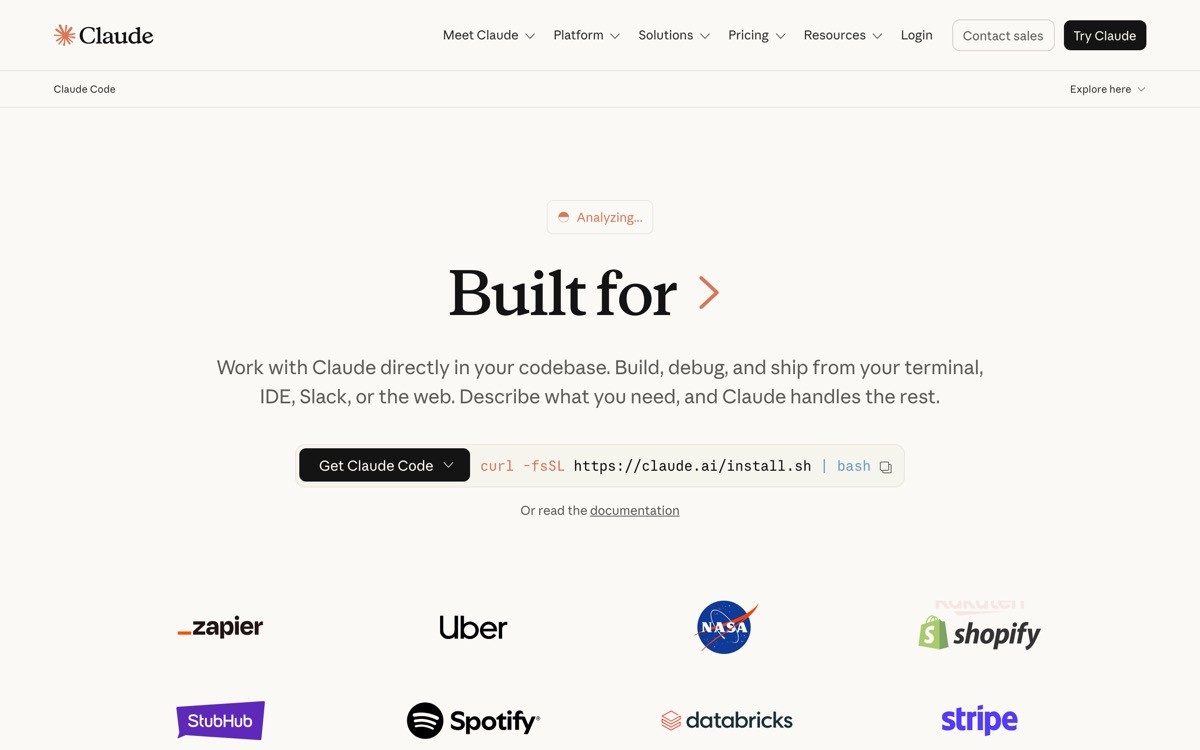
Claude Code is Anthropic's command-line coding agent that runs in your terminal, reads your repo, and applies edits through tool calls you can inspect and approve. It treats the terminal session as the canvas, not a chat window, which makes it feel native to engineers who live in tmux and skip GUIs.
What stands out is the legibility of the agent loop. Plan mode produces a written plan before any file is touched. A live todo list streams progress in a way the user can interrupt. Every tool call (Read, Edit, Bash, Grep) renders as a collapsible block with arguments visible, so the user can see exactly what the agent is about to do.
Key strengths
Plan mode that proposes the full work before any write
Todo list streamed in real time as the agent ticks tasks off
Per-tool permission prompts on first use, then remembered
CLAUDE.md as a project-level prompt convention engineers actually maintain
Sub-agent and skill system for delegation
Direct integration with git, shell, and existing dev tools
Best for
Engineers who prefer terminal-native tools and want the agent to live next to their existing shell workflow
Teams running long autonomous tasks and parallel agent sessions across worktrees
Pricing
Included in Claude Pro at $20 per month
Claude Max plans at $100 or $200 per month for heavier usage
API pay-as-you-go through Anthropic
Pros
Plan mode plus todo lists make the agent loop legible without a GUI
Permission prompts give engineers granular trust without forcing a slow approval flow
CLAUDE.md is a low-ceremony way to lock team conventions into every session
Cons
No native GUI, so newcomers miss the visual diff scrubbing Cursor offers
Heavier autonomous runs require careful permission setup to avoid prompts every few seconds
3. Devin, best autonomous coding agent UX
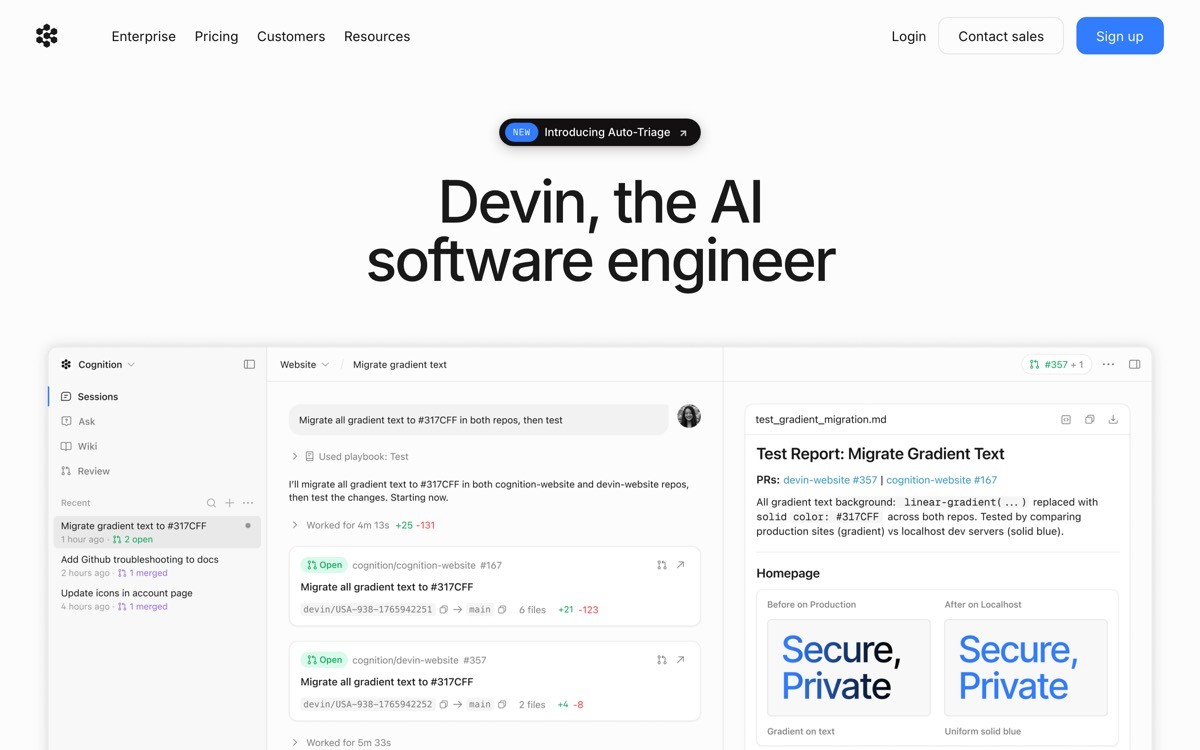
Devin is Cognition's autonomous software engineer designed to run multi-hour tasks in its own workspace, with a browser, a shell, and an editor all visible in one session window. The UX is built around the idea that the user is not watching every keystroke, so the session itself is the artifact, replayable end to end.
Devin's distinctive UX move is treating the agent run as an async work product. You hand off a Linear ticket or a Slack message, walk away, and come back to a pull request with a session replay attached. Knowledge cards capture lessons across sessions so the same mistake does not happen twice.
Key strengths
Async session workspace with persistent browser, shell, and editor
Step-by-step replay you can scrub like a video
Knowledge cards that accumulate as team memory
Slack and Linear handoff as the primary entry points
Pull request output rather than file diffs in your local editor
Parallel session support for swarms of agents
Best for
Teams running long, ticket-shaped tasks who want the agent to behave like a junior engineer rather than an autocomplete
Engineering managers measuring agent throughput across many parallel sessions
Pricing
Team plan from $500 per month with ACU-based usage
Enterprise pricing on request with SSO and audit logs
Pros
Session replay is the strongest trust mechanism in the category for autonomous runs
Slack and Linear handoff matches how real engineering work flows
Knowledge cards turn one-off agent runs into team memory
Cons
Pricing is enterprise-shaped, hard to justify for solo developers
Async by design, so it is not the right pick for the in-editor flow most engineers want for small edits
4. Cody, best enterprise coding agent UX
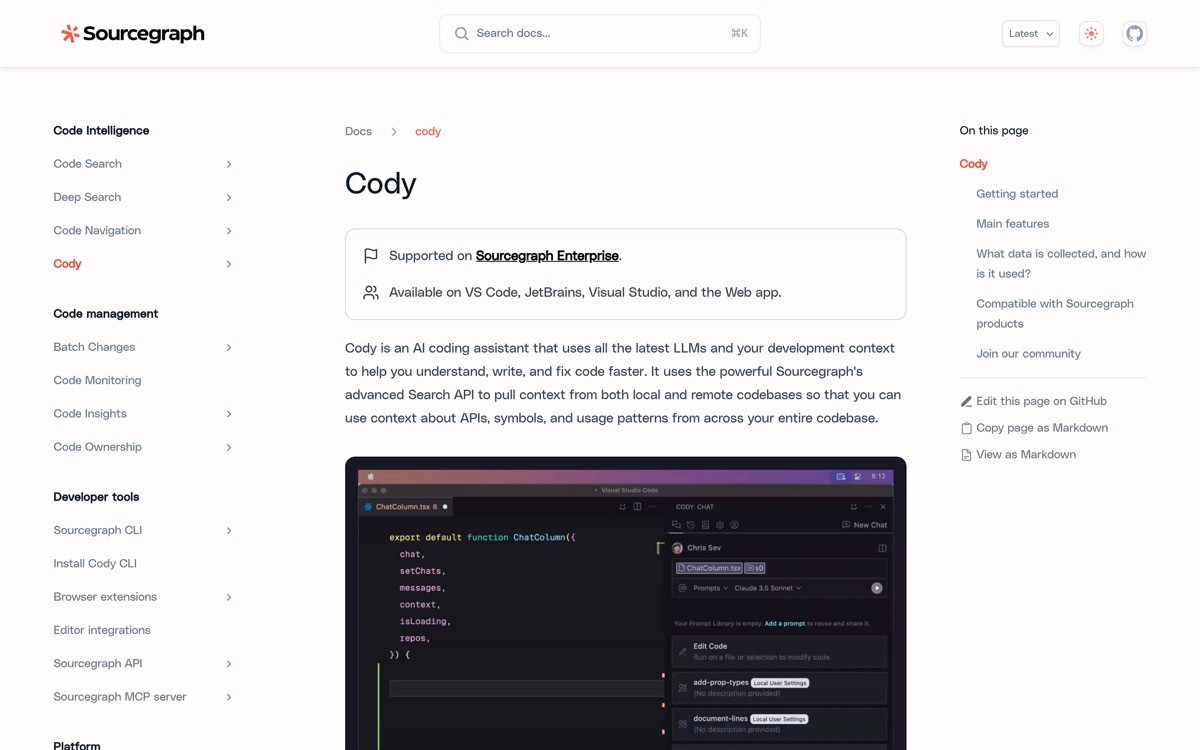
Cody is Sourcegraph's coding agent that uses the company's code graph to ground every answer in real repository context, including cross-repo dependencies. The UX is built around provenance: every code snippet the agent surfaces shows which file, which repo, and which commit it came from.
Cody's distinctive value is the way the code graph makes citations native. For enterprise codebases with hundreds of repos, this turns the agent from a guesser into something closer to a search engine that also writes. The IDE extension, the web app, and the chat surface all share the same indexed context.
Key strengths
Code-graph context across the whole codebase, not just the open file
Source file citations attached to every answer
IDE extensions for VS Code, JetBrains, and the Sourcegraph web app
Model picker including Claude, GPT, and customer-hosted options
Custom prompts and commands sharable across the team
Enterprise controls for repo access, audit logs, and SSO
Best for
Large engineering organizations with many repos where cross-repo context matters more than raw speed
Security-conscious teams that need provenance on every line the agent suggests
Pricing
Free tier for individuals with usage limits
Pro plan at $9 per month per user
Enterprise pricing for larger teams with admin and security controls
Pros
Strongest provenance UX in the category, every answer ties back to a source file
Cross-repo context makes Cody useful on codebases other agents choke on
Works inside the editors engineers already use, no IDE migration required
Cons
Less polished diff-first editing flow than Cursor for single-repo work
Indexing setup adds friction for small repos that do not need cross-repo search
5. Aider, best CLI coding agent UX for minimalists
Aider is an open-source command-line coding agent that turns every change into a git commit, treating the repository history as the action log. The UX is deliberately bare: no GUI, no chrome, just a prompt, a diff, and a commit message you can edit.
Aider's distinctive move is making git the trust mechanism. There is no separate accept-or-reject UI because every step is a commit, and every commit is revertible. Engineers who already think in branches and rebases find this far less friction than learning a new UI.

Key strengths
Git-native loop, every agent edit becomes a commit
Repo map built from tree-sitter to focus the model on relevant files
File add and drop in chat to manage context window deliberately
Bring your own model with broad provider support
Open source, free to self-host
Tiny binary footprint and fast startup
Best for
Engineers who already live in git and want zero UI friction
Cost-sensitive solo developers running their own keys against multiple models
Pricing
Free and open source
Pay only the model provider for tokens used
Pros
Git as the trust mechanism is the simplest trust UX in the category
Tree-sitter repo map gives surprisingly good context for a CLI tool
Zero lock-in, runs against any model with an API
Cons
No GUI means a steeper ramp for engineers who prefer visual diff review
Fewer guardrails for autonomous multi-step tasks compared with Cursor or Claude Code
6. GitHub Copilot, best mass-market coding agent UX
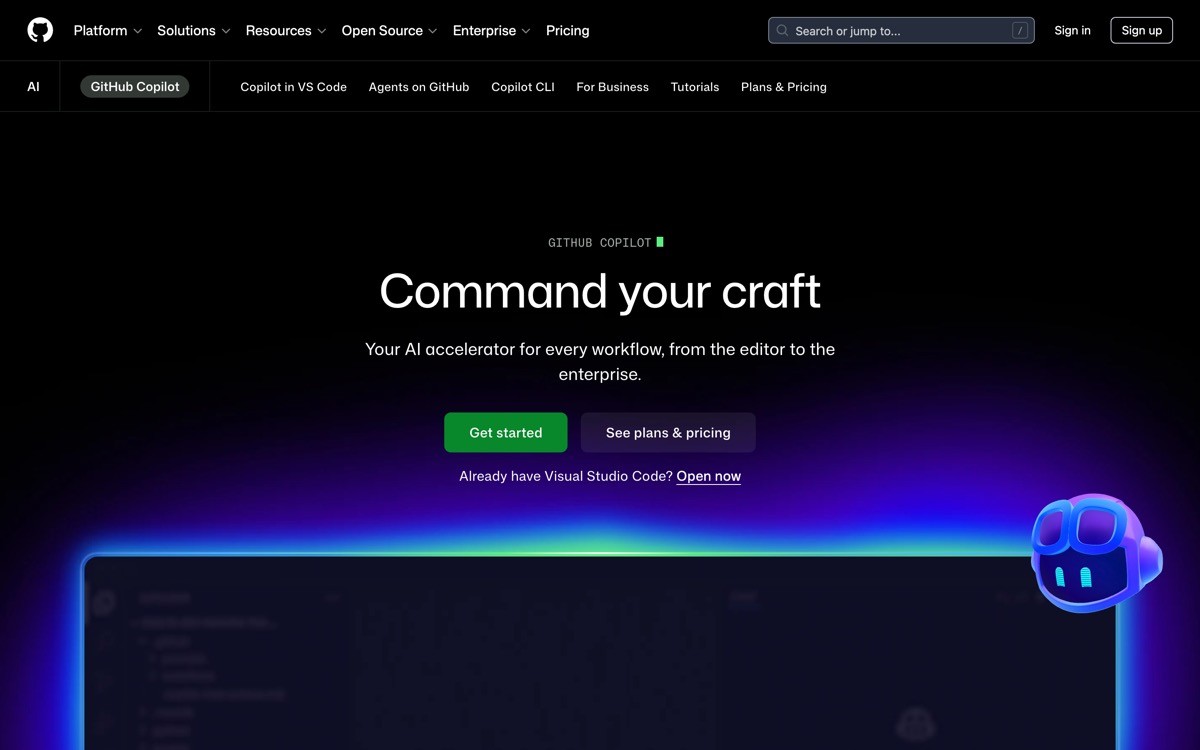
GitHub Copilot is the most widely deployed coding agent in 2026, layering inline ghost-text suggestions, a chat panel, and an agent mode on top of the editors most engineers already use. The UX strategy is reach: meet developers in VS Code, JetBrains, and the GitHub website without forcing a new tool.
Copilot's distinctive value is the inline ghost text. A grey-text prediction that appears as you type is the lowest-friction agent surface ever shipped, and it set the baseline most other tools now copy. Agent mode adds a planning surface for multi-file tasks without breaking the inline flow.
Key strengths
Inline ghost text that requires zero new UI muscle
Chat panel for explanations, edits, and tests in the same editor
Agent mode for multi-file tasks with plan and edit surface
Workspace and repo indexing for grounded answers
Native to VS Code, JetBrains, Visual Studio, Neovim
Enterprise policy controls and IP indemnification for paying customers
Best for
Engineering teams standardizing on GitHub who want a single AI tool across every editor and the web
Mixed-skill teams where some engineers want inline suggestions and others want agent-mode planning
Pricing
Free tier with limited completions and chat
Pro plan at $10 per month per user
Business plan at $19 per month per user, Enterprise at $39 per user
Pros
Lowest-friction inline UX in the category, sets the bar everyone else matches
Native to every major editor, no workflow migration required
Enterprise policy and indemnification address legal blockers other tools ignore
Cons
Agent mode still feels grafted on compared with Cursor and Claude Code
Pricing per surface adds up if you also pay for ChatGPT, Claude, or Cursor
7. Replit Agent, best beginner-friendly coding agent UX
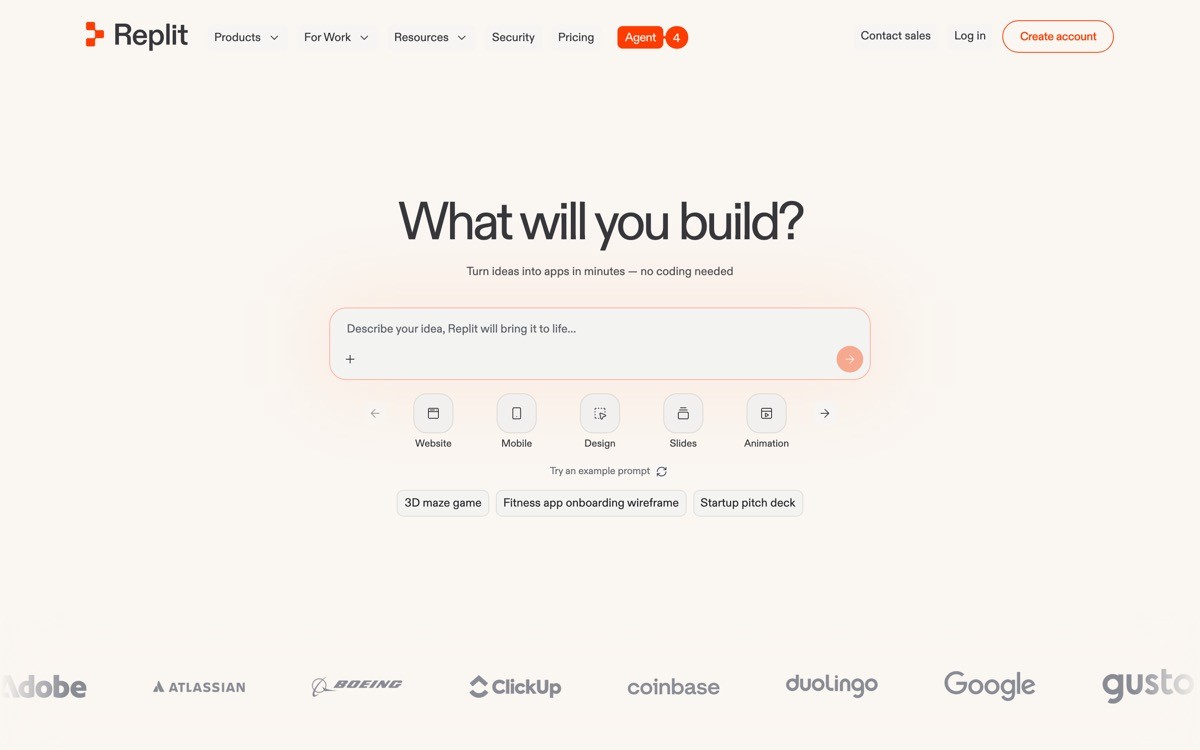
Replit Agent is a cloud-native coding agent that builds, previews, and deploys an app in one browser canvas, designed for users who do not want to manage a local environment. The UX assumes the user is not a senior engineer and removes every step that requires terminal fluency.
The distinctive value is the unified canvas: a chat panel proposes the app, the workspace shows the file tree, the live preview renders alongside, and a deploy button ships it to a real URL. For first-time builders, this collapses the entire toolchain into one visible loop.
Key strengths
Cloud workspace with file tree, terminal, and preview in one view
One-click deploy to a real URL with custom domain support
Database, auth, and secrets managed in the workspace
Mobile app for editing on the go
Built-in collaboration for pair programming
Templates that the agent can extend instead of starting from scratch
Best for
First-time builders and non-technical founders prototyping apps without a local dev setup
Educators and bootcamps that need a shared environment with the agent built in
Pricing
Free tier with limited compute and storage
Core plan at $25 per month with monthly Agent credits
Teams and Enterprise plans for collaboration and admin controls
Pros
The clearest beginner-friendly coding agent UX in the category
End-to-end loop including hosting and deploy removes the hardest steps
Mobile editing is unique in the category for casual builders
Cons
Less appealing to senior engineers who already have a local toolchain
Cloud-first model means cost scales with compute, not just agent usage
How to choose the best AI coding agent UX for your team
1) Are you editing your local repo or running autonomous tasks?
If your engineers spend most of the day in a local editor on a single repo, the diff-first UX of Cursor or the terminal-native UX of Claude Code will feel native. If you want to hand off ticket-shaped work and come back to a pull request, Devin is built for that shape.
Local editor flow: Cursor, Claude Code, GitHub Copilot, Aider
Async ticket handoff: Devin
Cloud-only with deploy: Replit Agent
2) How much context does the model need?
Single-repo work is well served by Cursor or Claude Code with a project rules file. Cross-repo work, especially in monorepos or microservice landscapes, is where Cody's code graph pays for itself.
Single repo, small to medium: Cursor, Claude Code, Aider
Cross-repo, large enterprise: Cody, Devin
3) How much trust does the workflow require?
Regulated industries and large enterprises need provenance on every suggestion. Cody's source-file citations and GitHub Copilot's policy controls fit that bar. For solo developers, git history (Aider) or per-tool prompts (Claude Code) is enough.
4) What is the team's comfort with new UI?
Cursor asks engineers to switch IDE, which is the biggest behavioral ask in the list. Copilot, Cody, and Aider meet engineers in their current editor or terminal. Claude Code adds zero UI surface beyond the terminal session. Replit asks for a full move to the cloud.
If you have picked your coding agent but the dev tool, IDE, or developer portal around it still looks like a generic Lovable template, that is where the UX bar is set in 2026 and where most products lose trust. AY Design turns AI-built developer products into interfaces engineers actually want to use, with conversion-focused landing pages, dashboards that respect engineer attention, and brand systems that feel unicorn-grade. Book a design audit to see what to fix first.
FAQ
What is an AI coding agent?
An AI coding agent is a software tool that uses a large language model to read, write, and edit code on behalf of a developer, often by calling tools like file editors, shell commands, and search. The best AI coding agents in 2026 (Cursor, Claude Code, Devin, Cody, Aider, GitHub Copilot, Replit Agent) all expose tool calls and file diffs as part of the UX so engineers can verify each step.
Which AI coding agent has the best UX?
Cursor and Claude Code currently set the bar for AI coding agent UX in 2026. Cursor wins on in-editor diff-first interaction with per-hunk accept or reject. Claude Code wins on terminal-native plan mode and a live todo list that makes long autonomous runs legible without a GUI.
What is the difference between Cursor and Claude Code?
Cursor is an AI-native code editor with a graphical diff-first UX, while Claude Code is a terminal-native command-line agent. Cursor suits engineers who want a single GUI for editor and agent. Claude Code suits engineers who live in the terminal and want plan mode plus per-tool permissions.
Is Devin better than Cursor for coding agent work?
Devin and Cursor solve different problems. Cursor is built for in-editor synchronous work where the engineer reviews every change in real time. Devin is built for async, ticket-shaped tasks where the agent runs for hours and the engineer reviews the final pull request. Most teams use both for different parts of the workflow.
Can I use a coding agent for an entire repo?
Yes, modern coding agents handle whole-repo work with different UX strategies. Cody uses a code graph for cross-repo grounding, Cursor uses indexed retrieval plus a rules file, Claude Code uses plan mode plus CLAUDE.md as a project prompt, and Devin uses a persistent workspace. Choose based on whether your code lives in one repo or many.
Which coding agent is best for non-technical founders?
Replit Agent is the most beginner-friendly coding agent UX in 2026 because it bundles the editor, preview, database, and deploy into one cloud canvas. Lovable and Bolt are simpler still for pure prototype work. For founders who plan to grow into a real engineering team, starting on Cursor or Claude Code shortens the future migration.
Is GitHub Copilot still worth it in 2026?
GitHub Copilot is still worth it for teams standardizing on the GitHub stack and for engineers who value inline ghost text as the primary agent surface. It is less compelling as a standalone agent than Cursor or Claude Code, but it remains the most widely deployed and policy-friendly option for enterprise rollouts.
Should I design my own coding agent UX from scratch?
Only if your agent does something Cursor, Claude Code, or Copilot do not already handle, such as a vertical-specific surface (data engineering, ML training, embedded systems). Otherwise, lift the proven patterns: diff-first review, plan mode, per-tool permissions, live todo lists, and a stop button that actually stops. If you want a design partner to ship a coding-agent UX that looks unicorn-grade, an AI-product design agency can take the existing patterns and tailor them to your vertical without reinventing the wheel.
Checkout other Blogs:

Multi-agent system UX design guide for 2026
A pattern-by-pattern guide to designing multi-agent system UX in 2026, with a scoring matrix and references from Claude Code, LangGraph, Devin, and Replit Agent.
Author:
AY Designs Team

Human-in-the-loop AI design guide for 2026
A 2026 guide to human-in-the-loop AI design with patterns, scoring framework, and examples from Cursor, Claude Code, Stripe, and Notion AI.
Author:
AY Designs Team

How to design agentic AI products in 2026: a 7-step playbook
A seven-step design playbook for shipping agentic AI products that users actually trust, with scoring matrix and real product references from Cursor, Claude Code, Devin, and Perplexity.
Author:
AY Designs Team

How much does AI SaaS design cost in 2026?
AI SaaS design cost in 2026 by tier and engagement type, with ranges, timelines, and a value scorecard for founders shipping with Lovable, Bolt, and v0.
Author:
AY Designs Team