Framer has become the default launch tool for AI startups in 2026. The reasons are practical: a non-engineering founder can ship a designed, animated marketing site in days, the hosting is included, and the template ecosystem now covers most positioning patterns. The catch is that most AI startup Framer templates use the same hero with the same gradient blob and the same demo, and visitors notice within seconds.
This guide compares the seven best Framer templates and template stores for AI startups in 2026. We cover what each is for, the structure quality, pricing, and how to choose based on your launch goals and team.
TL;DR, for AI founders launching their first marketing site, the Framer Marketplace and Foxthemes are the safest picks. For more distinctive design and motion, Framerbite and Framerbase produce stronger work. For lean founders who only need a few sections, Framer Blocks is the most flexible base.
Best Framer templates for AI startups: a brief overview
Framer Marketplace: Best safe default for AI founders who want platform-vetted templates with one-click install.
Foxthemes: Best for polished AI startup templates with strong design opinion and animation patterns.
Framerbite: Best for modern, animation-led Framer templates aimed at AI and SaaS startups.
Framerbase: Best for AI startups that want clean, well-structured templates with consistent CMS scaffolding.
Sayhi.studio: Best for design-led AI startups that want a more distinctive aesthetic out of the box.
Framer Blocks: Best section library for assembling pages without buying a full template.
Framer Sites: Best community-curated template hub for niche AI use cases.
Template store | Key strength | Pricing | Best fit |
|---|---|---|---|
Framer Marketplace | Official Framer-curated templates with one-click install | Free options, paid templates typically $49 to $199 one time | Non-designer founders who want safety |
Foxthemes | Polished AI startup templates with strong animation patterns | Templates typically $49 to $129 one time | AI founders who want design quality out of the box |
Framerbite | Modern, animation-led templates for SaaS and AI | Templates typically $49 to $149, lifetime access available | Design-forward AI startups |
Framerbase | Clean, well-structured templates with CMS scaffolding | Templates typically $39 to $129 one time | AI startups with a content plan from day one |
Sayhi.studio | Distinctive aesthetic, design-led templates and resources | Templates and kits at varying price points | Founders who want a less templated look |
Framer Blocks | Section library to build pages without a full template | Free starter, Pro plans available | Founders assembling custom pages from sections |
Framer Sites | Community-curated catalog of Framer templates and remixes | Varies by listing | Founders looking for niche AI use cases |
1. Framer Marketplace, best safe default for AI founders
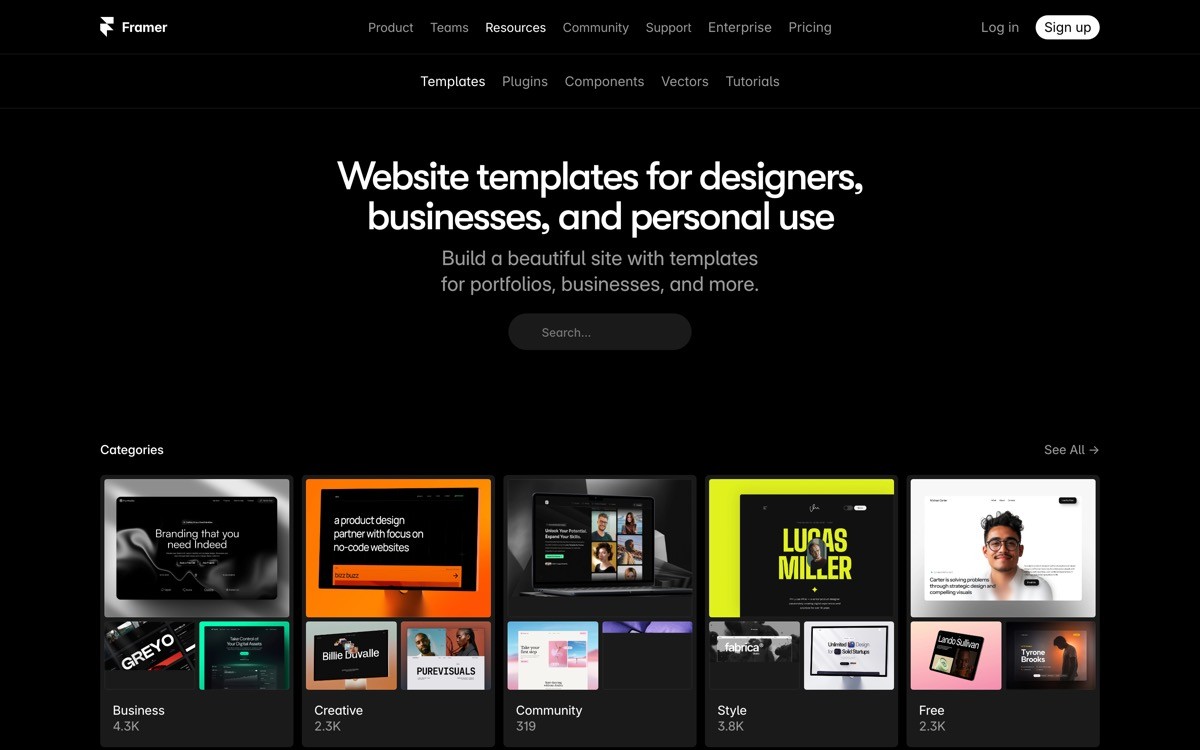
The official Framer Marketplace is the safest starting point for any AI founder who wants a vetted template with one-click install. Templates here are reviewed by Framer, ship with live previews, and remix directly into your Framer account with a single click.
For AI startups specifically, the marketplace now has a dedicated AI section with templates designed around the patterns AI products use, hero with prompt input, model selector, feature grid for use cases, and a CTA pattern for waitlist or signup. The variance in quality is real, but the curation bar is higher than third-party stores.
Key strengths
Framer-curated, with consistent listing structure
One-click remix into your Framer account
Live previews on every template
AI-specific category with patterns built for AI products
Direct support flow through Framer
Best for
Non-designer AI founders launching v1 marketing sites
Pre-seed teams testing positioning before investing in custom design
Founders who want zero friction between buying and shipping
Pricing
Free templates available across categories
Paid templates typically $49 to $199 one time
Pros
No risk of buying from a dead shop
Predictable purchase, install, and remix flow
Strong baseline of free templates to start with
Cons
Many AI templates use similar patterns, so distinctiveness needs work
Less curatorial opinion than focused studios
2. Foxthemes, best for polished AI startup templates
Foxthemes is a Framer template studio with a catalog focused on AI startups, SaaS, and modern marketing sites. Their templates trend toward strong design opinion, modern typography, and animation patterns that match how funded AI startups present themselves in 2026.
The structural quality is consistent across their catalog and they update templates as Framer adds new capabilities. For AI founders who want a polished starting point without doing the design work themselves, Foxthemes lands in the right price-to-quality band.
Key strengths
Strong design opinion across the catalog
AI-specific templates with patterns for prompt UIs and model demos
Modern typography and animation treatments
Consistent structural quality
Regular updates for new Framer features
Best for
AI startups that want strong design out of the box
Founders who do not have a designer and want polish without hiring one
Pre-seed and seed-stage launches
Pricing
Templates typically $49 to $129 one time
Some bundles available
Pros
Higher visual baseline than the average marketplace template
Well-positioned for AI category specifically
Cons
Strong opinion means more cleanup if your brand does not match
Popular templates appear on multiple AI startup sites at once
3. Framerbite, best for modern animation-led templates
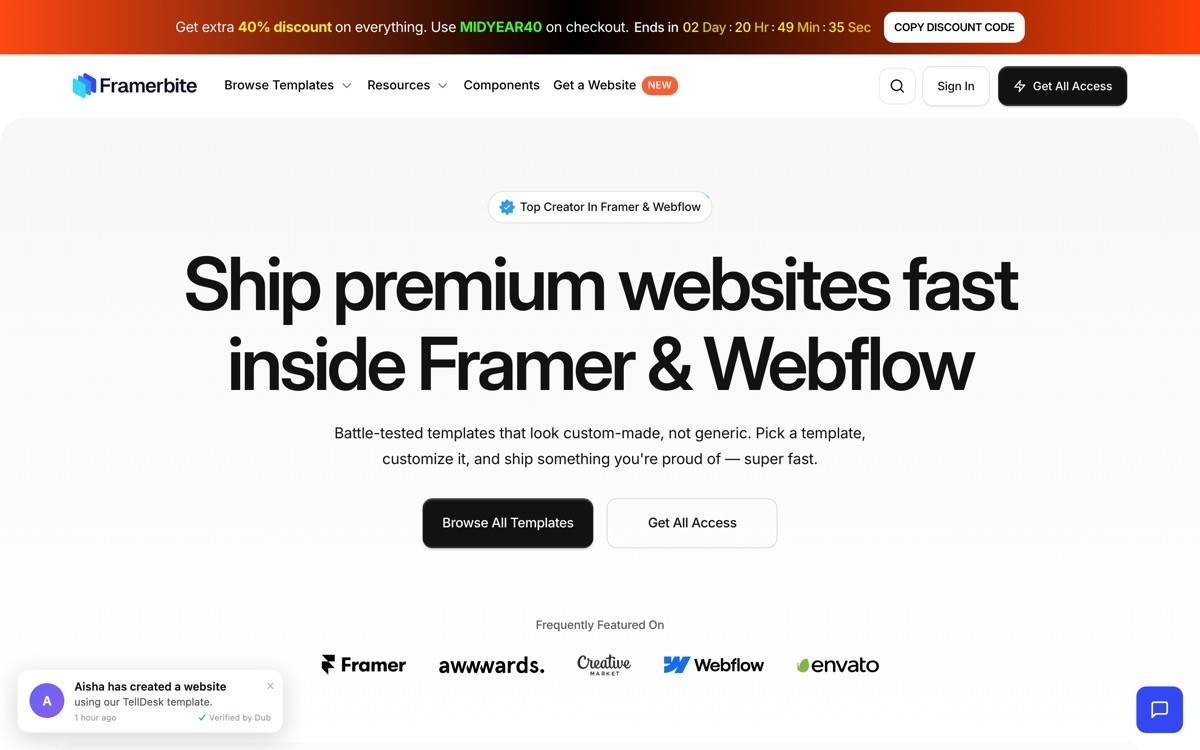
Framerbite is a Framer template studio focused on modern SaaS and AI templates with heavy use of animation, motion, and interaction. Their templates feel more like design exercises than the average marketplace listing, which is the right fit for founders who want to differentiate on visual quality.
The trade-off is performance. Animation-heavy Framer sites need attention to load time and motion preferences. For AI startups where visual ambition matters more than absolute speed, Framerbite produces some of the strongest work on Framer.
Key strengths
Strong animation and motion patterns
Modern visual quality across the catalog
AI and SaaS focused
Lifetime access bundles for unlimited templates
Regular new template releases
Best for
AI startups where visual ambition is part of the positioning
Founders launching a flagship product with a flagship site
Designers buying templates as starting points for client work
Pricing
Single templates typically $49 to $149
Lifetime access bundles for unlimited downloads
Pros
Top-tier visual and motion quality on Framer
Bundles compound value if you launch multiple sites
Cons
Animation heaviness can slow mobile load times
Strong opinion narrows brand fit
4. Framerbase, best for clean structure and CMS depth
Framerbase is a Framer template studio with a focus on clean structure, consistent CMS scaffolding, and SaaS-ready templates. Compared with the more visually ambitious studios, Framerbase trades some design flair for stronger underlying structure, which pays back when you need to extend the site.
For AI startups with a content plan, a blog roadmap, or plans to launch comparison and integration pages, the CMS scaffolding matters. Framerbase templates ship with real collections, not a fake blog placeholder, which saves time at month two.
Key strengths
Clean, predictable structure across the catalog
Real CMS collections for blog, case studies, changelog
SaaS and AI focused
Easier to customize than animation-heavy templates
Good documentation and support
Best for
AI startups with a content marketing roadmap
Founders who plan to extend the site over months
Teams that prefer structural quality over flashy animation
Pricing
Templates typically $39 to $129 one time
Some bundles available
Pros
Lowest cleanup cost when extending the site
Real CMS depth, not placeholders
Cons
Visual style is more restrained, will not stand out without branding work
Smaller catalog than Foxthemes or Framerbite
5. Sayhi.studio, best for distinctive aesthetic

Sayhi.studio is a design studio that releases Framer templates and design kits with a more distinctive editorial aesthetic than the typical SaaS template. The catalog leans into typography, layout experimentation, and design-led storytelling, which is a fit for AI products that want to be remembered.
The realistic positioning is not as a structural workhorse but as a starting point for founders who want their site to feel intentionally designed rather than templated. Plan on some structural reorganization to fit a standard SaaS page flow.
Key strengths
Distinctive editorial and typographic aesthetic
Design-led layout patterns
Mix of templates, kits, and resources
Strong fit for brand-led AI products
Best for
AI products where brand and aesthetic are part of the moat
Founders who want to escape the standard AI template look
Design-led teams
Pricing
Templates and kits at varying price points
Pros
Strong differentiator from generic AI templates
Editorial sensibility lifts the site visually
Cons
Less plug-and-play for standard SaaS marketing flows
Smaller catalog
6. Framer Blocks, best section library
Framer Blocks is a section and component library for Framer, similar in spirit to Flowbase or Relume on the Webflow side. Instead of buying a full template, you assemble pages from prebuilt sections, hero variants, feature grids, pricing patterns, FAQ blocks, that drop directly into a Framer project.
For AI founders who already have a partial site and need to ship a few additional pages, this is the lowest-friction option. Sections are designed to remix cleanly without the structural surgery a full template swap requires.
Key strengths
Section library that drops into existing Framer projects
Variety of styles per section type
Lower commitment than buying a full template
Good for assembling campaign-specific landing pages
Best for
Teams that already have a Framer site and need more pages
Growth marketers shipping ad and campaign landing pages
Agencies running multiple Framer projects
Pricing
Free starter library
Pro plans for full access
Pros
Mixes well with full templates from other studios
Fast page assembly for campaigns
Cons
Not a full site solution on its own
Sections still need brand customization to avoid looking stock
7. Framer Sites, best for community-curated templates
Framer Sites is a community-curated catalog of Framer templates, remixes, and project examples. It is less a polished marketplace and more a discovery surface where you can find niche use cases, AI agents pages, model gallery layouts, prompt library sites, that may not exist in the larger marketplaces.
For AI founders building unusual products, agents, autonomous workflows, dev tools, the community catalog often surfaces patterns that match the use case better than generic SaaS templates. The trade-off is variance, you vet each listing on its own merits.
Key strengths
Community-curated, surfaces niche templates
Good for unusual AI use cases
Mix of paid and free listings
Often reveals strong individual creators
Best for
AI startups in unusual categories
Founders looking for inspiration as much as a template
Designers sourcing references
Pricing
Varies by listing
Pros
Surfaces templates the marketplace does not
Good source of inspiration and references
Cons
Quality varies widely
No platform-backed support flow
How to choose the best Framer template for your AI startup
1) Are you launching v1 or extending an existing Framer site?
If launching v1, buy a full template from the Framer Marketplace, Foxthemes, or Framerbase. If you already have a Framer site live and need to add pages, use Framer Blocks or assemble sections from a section library. Replacing a working template with a new full template at month three is usually wasted work.
2) How important is visual differentiation?
If looking templated is a deal breaker, plan to spend real time customizing whichever template you pick, ideally with a designer. Sayhi.studio and Framerbite produce more distinctive templates out of the box, but the most differentiated AI sites still require brand work on top. A template never finishes the job.
3) Does your AI product need a specific page pattern?
If your product is an AI chat, agent, or workflow tool, look for templates that include prompt UI patterns, model selector layouts, and conversation-style demos. Generic SaaS templates often miss these patterns and you end up rebuilding the hero section anyway.
4) What is your content marketing plan?
If you plan to publish a blog, case studies, or changelog from day one, prioritize templates with real CMS scaffolding, Framerbase and the Framer Marketplace are stronger here than animation-heavy studios. Retrofitting CMS structure into a template that did not ship with it costs days.
5) What is the true total cost?
A $99 Framer template plus Framer hosting plus your time customizing plus a designer's time is the real cost. Founders who only budget the template often run into the same wall: the template ships, the site is live, the conversion numbers are flat, and they realize the gap was never the template.
If you have picked your Framer template but the launch is not landing, the gap is usually positioning, hierarchy, and brand, not the template itself. AY Design takes templated AI startup sites and turns them into pages that feel unicorn-grade, covering hero positioning, demo design, pricing, and brand system. Book a design audit to see what to fix first.
FAQ
What is the best Framer template for an AI startup in 2026?
For most AI startups in 2026, a Framer Marketplace AI template or a Foxthemes AI template is the best starting point because of curation quality, AI-specific patterns, and one-click install. Founders who want a more distinctive aesthetic should look at Framerbite or Sayhi.studio.
How much does a Framer template cost?
Most paid Framer templates cost between $49 and $199 as a one-time purchase. Bundle and lifetime access plans from individual studios can reduce the per-template cost when you launch multiple sites. Framer hosting is separate and starts around $15 per month for a basic plan.
Are free Framer templates good enough for an AI startup?
Free Framer templates are good enough for pre-launch validation and testing positioning, but most lack the structural depth and AI-specific patterns you need at launch. The realistic move is to start free, validate the funnel, then upgrade to a paid template or custom design once you have signal.
Can I use a Framer template for a real funded AI startup launch?
Yes, plenty of funded AI startups launch on Framer templates, but the template is a starting point, not a finished site. The brand customization, demo design, and positioning still need to be added on top. Templates that ship unedited usually underperform because they look identical to dozens of other AI sites.
Should I use Framer or Webflow for an AI startup marketing site?
Framer is the stronger pick for design-led launches, non-engineering founders, and sites where visual and motion quality matter more than deep CMS structure. Webflow is stronger when the site will scale to hundreds of pages with heavy CMS use. Many AI startups use Framer for the marketing site and a separate stack for the product.
How long does it take to launch a Framer site with a template?
A solo founder can ship a v1 marketing site from a Framer template in two to four days, including copy replacement, brand customization, and connecting a custom domain. Adding distinctive design work or unusual sections typically extends the timeline to one to two weeks.
Do Framer templates affect SEO?
Framer sites are SEO-friendly when configured correctly, with proper meta tags, structured data, and performance budgets. Animation-heavy templates can slow page speed, which matters for search and ad ranking, so consider performance trade-offs when choosing. For AI startups targeting AI-search visibility, structure matters as much as speed.
Do I need a designer if I use a Framer template?
If the template looks templated to you, it will look templated to your investors and users. A designer is what turns a template into a brand, sharpens the hero positioning, and fixes the demo design so the product feels real. For AI startups that want to look unicorn-grade rather than AI-built, a focused design pass on top of a clean template is usually the right move.
Checkout other Blogs:

Multi-agent system UX design guide for 2026
A pattern-by-pattern guide to designing multi-agent system UX in 2026, with a scoring matrix and references from Claude Code, LangGraph, Devin, and Replit Agent.
Author:
AY Designs Team

Human-in-the-loop AI design guide for 2026
A 2026 guide to human-in-the-loop AI design with patterns, scoring framework, and examples from Cursor, Claude Code, Stripe, and Notion AI.
Author:
AY Designs Team

How to design agentic AI products in 2026: a 7-step playbook
A seven-step design playbook for shipping agentic AI products that users actually trust, with scoring matrix and real product references from Cursor, Claude Code, Devin, and Perplexity.
Author:
AY Designs Team

How much does AI SaaS design cost in 2026?
AI SaaS design cost in 2026 by tier and engagement type, with ranges, timelines, and a value scorecard for founders shipping with Lovable, Bolt, and v0.
Author:
AY Designs Team