v0 by Vercel went from "experimental UI generator" to "the default frontend for AI SaaS" between 2024 and 2026. The reason is the stack. Every output is React, Tailwind, and shadcn/ui, which is the exact stack most production AI products are already on. That means v0 templates and starters are not throwaway demos. They are the actual frontend most teams ship.
This guide walks through the best v0 templates for AI SaaS in 2026, organized by what they let you ship: AI chat UIs, agent interfaces, SaaS dashboards, landing pages, internal tools, and developer-facing utilities. For each, we cover what the starting point includes, why it fits AI SaaS specifically, and what to plan for when you take the v0 output from "polished frontend" to "real, profitable product."
TL;DR, the strongest v0 templates for AI SaaS in 2026 are the AI chatbot starter for chat-first products, the AI agent dashboard for tool-using copilots, the SaaS marketing landing page for fast launches, the analytics dashboard for data-heavy AI products, the internal admin starter for team-facing tools, and the developer playground for API-driven AI utilities.
Best v0 templates for AI SaaS: a brief overview
AI chatbot starter: Best overall starter for chat-first AI products, ships streaming UI, message history, and shadcn-styled chat components.
AI agent dashboard: Best for tool-using copilots that need to render multi-step reasoning and tool calls in a clean UI.
SaaS marketing landing page: Best for shipping a polished launch page in a day with hero, features, pricing, and CTA blocks.
Analytics dashboard: Best for data-heavy AI products that need charts, tables, and KPI tiles without writing them from scratch.
Internal admin starter: Best for team-facing tools where you need editable tables, forms, and role-based access.
Developer playground: Best for API-driven AI utilities that need a request builder, output viewer, and code snippet generator.
Settings and account starter: Best supporting pattern that ships the account UI every SaaS needs but no one wants to build.
Template | Key strength | What you get | Best fit |
|---|---|---|---|
AI chatbot starter | Streaming UI, shadcn chat components | Chat layout, message bubbles, input box | Chat-first AI products |
AI agent dashboard | Multi-step tool call rendering | Agent panel, tool log, output viewer | Agentic copilots |
SaaS marketing page | Hero, features, pricing, CTA | Landing page, sections, social proof | Fast product launches |
Analytics dashboard | Charts, tables, KPIs | Recharts, data tables, filters | Data-heavy AI products |
Internal admin starter | CRUD with role-based access | Tables, forms, auth flow | Team-facing tools |
Developer playground | Request builder, code generator | Endpoint UI, output viewer, snippets | API-first AI tools |
Settings and account starter | Account UI primitives | Profile, billing, team management | Every SaaS |
1. AI chatbot starter, best overall template for chat-first AI products
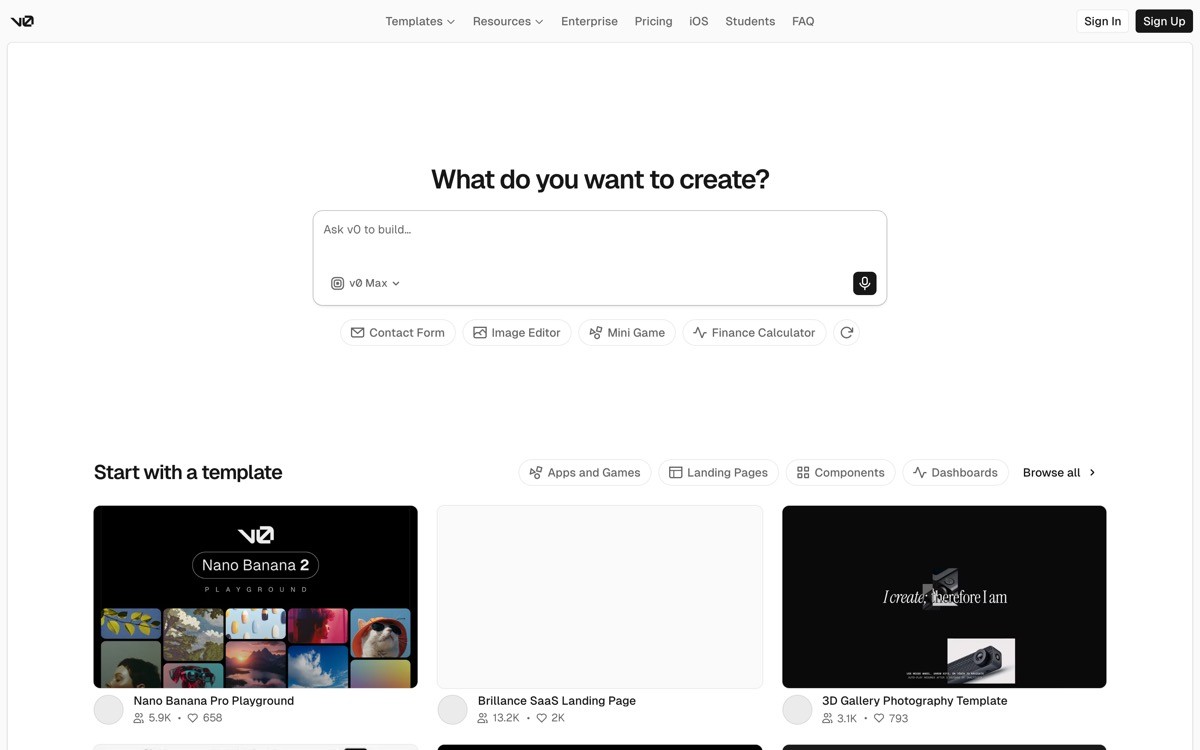
The AI chatbot starter is a v0 template that ships a chat layout with message bubbles, an input box, streaming response rendering, and shadcn-styled components for every surface around the conversation. It is the right starting point for any AI product where the core UX is a chat between the user and a model.
What makes it the strongest overall pick is the gap between "AI chat that works" and "AI chat that feels like a real product." Streaming UX, scroll pinning, abort handling, markdown rendering, code blocks, and copy buttons are all surfaces that look trivial but eat a week of work when built from scratch. The v0 starter ships these by default, on a shadcn foundation that survives design iteration.
Key strengths
Streaming response UI with token-by-token rendering
Markdown rendering with code block syntax highlighting
Message history with persistent scroll position
shadcn Input, Button, and Card components
Light and dark mode by default
Copy and regenerate actions on assistant messages
Best for
Founders shipping a vertical AI copilot for a specific industry
Product teams building a chat layer over their own data
Designers prototyping AI chat UX with production-grade components
Pricing
Available within v0's free tier limits
Paid plans unlock higher message limits and team usage
Pros
Highest-fidelity chat starter in the AI app builder category
shadcn foundation means the design survives iteration without falling apart
Output drops cleanly into any Next.js project
Cons
Backend, auth, and persistence are not included by default
Tool-use and agentic flows need a separate template or custom work
2. AI agent dashboard, best for tool-using copilots
The AI agent dashboard template is a v0 starter for products where the AI is not just chatting but calling tools, fetching data, and rendering multi-step reasoning. It is the right pick for agentic copilots, AI assistants with tool access, and any product where the UX needs to surface what the agent is actually doing.
The distinctive value is how it renders agent behavior. Chat UIs hide the reasoning. Agent dashboards expose it. The template ships a tool-call log, a progress indicator for multi-step tasks, and a structured output viewer, which are the three surfaces every agentic product eventually needs but rarely starts with.
Key strengths
Tool-call log with collapsed and expanded states
Multi-step progress indicator for agent runs
Structured output viewer for JSON and tabular results
Activity timeline with tool invocations
shadcn-styled panels and tabs
Easy to plug into the AI SDK or any agent framework
Best for
Founders shipping agentic AI products with tool use
Internal teams building copilots that call company APIs
Product teams designing observable agent UX for users to trust
Pricing
Pattern fits within v0's free and paid plans
Underlying LLM and tool services are billed separately
Pros
Surfaces agent reasoning in a way that builds user trust
Tool-call rendering removes the most common UX gap in agentic products
shadcn components survive design iteration as the product matures
Cons
Higher complexity than the chatbot starter, more decisions to make upfront
Backend wiring for tool execution is not included
3. SaaS marketing landing page, best for fast product launches
The SaaS marketing landing page template in v0 ships a hero, feature blocks, pricing, social proof, and a CTA, all built with shadcn components and Tailwind. It is the right starting point for AI founders who want a polished launch page in a day without paying for design from scratch.
What makes it distinctive is the design ceiling. Most AI app builders generate landing pages that look like AI demos. v0's shadcn foundation produces landing pages that look like real product sites in 2026, the kind of layout, type, and spacing decisions that would otherwise require a designer's time. The output is also a finished Next.js page, deployable to Vercel in one click.
Key strengths
Hero section with headline, sub-headline, and primary CTA
Feature grid with icons, copy, and screenshots
Pricing table with three or four tiers
Social proof section for logos and testimonials
Footer with link columns and small print
One-click deploy to Vercel
Best for
AI SaaS founders launching a product page in a day
Pre-launch waitlist pages that need to convert
Designers prototyping marketing layouts with real components
Pricing
Available within v0's free tier limits
Paid plans unlock higher generation limits
Pros
Highest visual ceiling in the AI app builder category for marketing pages
Deploys to Vercel as a finished Next.js project, no migration step
shadcn foundation makes ongoing design iteration manageable
Cons
Conversion-tuned copy still requires a writer or founder with positioning chops
Heavy animation and scroll effects need manual code work
4. Analytics dashboard, best for data-heavy AI products
The analytics dashboard template in v0 ships a multi-panel dashboard with KPI tiles, line and bar charts using Recharts, sortable data tables, and filter controls. It is the right starting point for any AI SaaS where the user-facing value is the data, the trends, or the report the AI generates.
The distinctive value is the chart and table primitives. Dashboards are easy to imagine and hard to ship, the difference between a chart that looks right at 1440 pixels and the same chart that breaks on mobile is hours of work per surface. The v0 template handles responsive defaults out of the box, so the dashboard works across devices without an extra design pass.
Key strengths
KPI tile components with delta and trend indicators
Line, bar, area, and pie charts via Recharts
Sortable, filterable data tables
Date range and segment filters
Responsive grid layout that adapts to screen size
shadcn cards, tabs, and dropdowns
Best for
AI SaaS founders shipping a data-heavy product surface
Internal analytics dashboards for ops and product teams
AI reporting tools that surface model outputs to non-technical users
Pricing
Available within v0's free tier limits
Paid plans for higher limits and team collaboration
Pros
Highest-quality chart and table starting point in the category
Responsive defaults that survive mobile without extra work
Recharts is widely supported, so extension is easy
Cons
Data fetching, auth, and persistence are not included by default
Complex visualizations beyond Recharts primitives need manual work
5. Internal admin starter, best for team-facing tools
The internal admin starter in v0 is a template for team-facing tools, with editable tables, forms, role-based access, and the navigation patterns every internal product needs. It is the right pick when the audience is your team, the surface is CRUD, and the polish bar is functional rather than aspirational.
The distinctive value is the speed-to-internal-ship. Internal tools are time sinks because every team builds the same primitives, tables, forms, role checks, search, from scratch. The v0 starter ships these as shadcn components, which removes the boilerplate and lets you focus on the workflow logic that actually differentiates your team's tool.
Key strengths
Editable data tables with inline edit modes
Form components for create and update flows
Role-based access patterns
Sidebar navigation with collapsible sections
Search across records
Activity log component for audit trails
Best for
Ops and support teams building internal CRUD tools
Founders shipping admin views for their own product
Small teams replacing paid internal-tool platforms with custom React
Pricing
Available within v0's free tier limits
No per-seat costs since the output is code, not a hosted platform
Pros
Cheaper than per-seat internal-tool platforms at any meaningful team size
Output is real React, so the tool survives the next migration
shadcn components mean the design is good enough without being a project
Cons
Backend, auth, and data layer require explicit setup
Complex permissions need custom logic on top of the role pattern
6. Developer playground, best for API-first AI tools
The developer playground template in v0 is a starter for API-driven AI products, with a request builder, output viewer, model and parameter selectors, and code snippet generation for popular languages. It is the right pick when your product is an API and the goal is to make trying the API as frictionless as possible.
The distinctive value is matching what developers expect. Every popular AI API ships a playground, and developers compare them. A v0 starter that produces a playground on par with the big providers means your API gets a fair evaluation from the first session, which is what determines whether the developer signs up.
Key strengths
Request builder with parameter inputs
Output viewer with streaming support
Model and version selector
Code snippet generation for curl, Python, Node, and TypeScript
Saved requests and history
API key input handled in the browser session
Best for
AI API founders shipping a developer-facing playground
Open-source maintainers showcasing model behavior
Internal teams wrapping a private API in a demo UI
Pricing
Available within v0's free tier limits
API provider costs apply separately
Pros
Matches the polish bar set by major AI provider playgrounds
Code snippet generation removes a key friction point for developers
shadcn components keep the look clean as parameters and modes grow
Cons
API key handling needs careful production review
Advanced features like streaming function calls need custom prompting
7. Settings and account starter, best supporting template for every SaaS
The settings and account starter in v0 ships the account UI primitives every SaaS needs: profile editor, password change, two-factor setup, team management, billing, and notification preferences. It is the right supporting pattern to layer onto any AI SaaS product you build.
The distinctive value is what gets skipped if you do not have it. Account UI is invisible when it works and a major friction point when it does not. Building it after launch always takes longer than expected, and shipping without it means support tickets you could have prevented. Starting from a v0 settings template gets these right before users notice.
Key strengths
Profile editor with avatar upload pattern
Password and security section with 2FA
Team management with invite and role assignment
Billing section with plan, usage, and invoice history
Notification preferences
API key management UI
Best for
Every B2B AI SaaS that ships authenticated accounts
Founders adding team plans to a previously single-user product
Teams replacing patchwork account UI built feature by feature
Pricing
Available within v0's free tier limits
Underlying auth and billing providers are billed separately
Pros
Covers the highest-volume support-ticket surfaces in any SaaS
shadcn defaults make the design good enough without being a project
Easy to layer onto an existing product without a full redesign
Cons
Auth and billing logic still need to be wired to real providers
Edge cases like SSO and SAML need additional work
How to choose the right v0 template for your AI SaaS
1) What is the core UX of your AI product?
If the core UX is a chat, start with the AI chatbot starter and add tool calls later if you need them. If the core UX is agentic with multi-step reasoning, start with the AI agent dashboard, even though it is more complex. If the core UX is a report or dashboard generated by AI, start with the analytics dashboard. Matching the starter to the actual product shape saves the most time.
2) Are you launching this week or building toward production?
If you are launching this week, the SaaS marketing landing page and AI chatbot starter together are enough to ship a credible AI SaaS demo. If you are building toward production, layer in the settings and account starter early. Account UI is one of the highest-leverage surfaces to get right before the first real users sign up.
3) How comfortable are you in a Next.js project?
v0 outputs Next.js components by default, so the more comfortable you are with App Router, server actions, and the AI SDK, the more leverage you get. If you are not comfortable in Next.js, prompt v0 to generate the UI, then bring in Cursor to wire the AI SDK and data fetching, or start with Lovable instead, which handles the backend automatically.
4) Is design the differentiator for your product?
For AI SaaS in 2026, design polish is increasingly the differentiator because the underlying models are commoditized. If design is your differentiator, v0 gives you the strongest starting point in the AI app builder category, but expect to bring in a design partner once the product is working to push past the default shadcn look. A polished shadcn shell is good enough to ship, but the products that win on design go further.
If you have picked your v0 templates and built the frontend but want a design partner to turn the AI-built output into a profitable, human-grade product, landing pages that convert, dashboards that do not look templated, brand systems that feel unicorn-grade, that is what AY Design does. We help AI SaaS founders and product teams ship products that do not look AI-built. Book a design audit to see what to fix first.
FAQ
What are the best v0 templates for AI SaaS in 2026?
The best v0 templates for AI SaaS in 2026 are the AI chatbot starter for chat-first products, the AI agent dashboard for tool-using copilots, the SaaS marketing landing page for launches, the analytics dashboard for data-heavy products, the internal admin starter for team tools, and the developer playground for API-driven AI utilities.
Are v0 templates free to use?
Yes, v0 templates are available within v0's free tier, which has monthly generation limits. Paid plans unlock higher limits, team usage, and private projects.
Can I deploy a v0 template directly to production?
Yes, v0 templates can be deployed directly to Vercel with one click, since the output is a finished Next.js project. Most production AI SaaS teams take the v0 output, wire it to the AI SDK and an auth provider, then deploy and iterate from there.
What stack does v0 generate?
v0 generates React components styled with Tailwind CSS, using shadcn/ui primitives, packaged as Next.js App Router projects. The stack is intentionally aligned with the most common production stack for AI SaaS in 2026.
What is the difference between v0 and Lovable?
v0 by Vercel focuses on generating polished frontend React components using shadcn primitives, leaving backend, auth, and database wiring to the user. Lovable focuses on full-stack output with auth, database, and deploys included by default. v0 is the stronger pick when frontend polish is the differentiator, Lovable is the stronger pick for non-technical founders who want backend wiring handled.
What is the difference between v0 and Bolt.new?
v0 generates polished frontend components that you drop into a Next.js project, while Bolt.new generates full-stack apps that execute live in the browser. v0 is the right pick when frontend design is the priority, Bolt.new is the right pick for fast prototypes that need to be running by the end of the prompt.
Can I customize a v0 template?
Yes, every v0 template can be customized by prompting the editor, editing the generated code, or pulling the project into a local Next.js workspace via the v0 CLI. Most teams prompt for the initial structure, then iterate locally once the design is close.
What happens when my v0-built AI SaaS stops looking custom?
Most AI-built SaaS hit a design ceiling within the first three to six months because the default look, while polished, is shared by every other v0-built product on the market. At that point founders typically bring in a design partner to push past the defaults, redesign landing pages, rebuild the dashboard UX, and ship a brand system that makes the product feel intentional. An AI-product design agency handles that work without forcing you to rebuild the app from scratch.
Checkout other Blogs:

Multi-agent system UX design guide for 2026
A pattern-by-pattern guide to designing multi-agent system UX in 2026, with a scoring matrix and references from Claude Code, LangGraph, Devin, and Replit Agent.
Author:
AY Designs Team

Human-in-the-loop AI design guide for 2026
A 2026 guide to human-in-the-loop AI design with patterns, scoring framework, and examples from Cursor, Claude Code, Stripe, and Notion AI.
Author:
AY Designs Team

How to design agentic AI products in 2026: a 7-step playbook
A seven-step design playbook for shipping agentic AI products that users actually trust, with scoring matrix and real product references from Cursor, Claude Code, Devin, and Perplexity.
Author:
AY Designs Team

How much does AI SaaS design cost in 2026?
AI SaaS design cost in 2026 by tier and engagement type, with ranges, timelines, and a value scorecard for founders shipping with Lovable, Bolt, and v0.
Author:
AY Designs Team