
Research agents are the AI category most judged on trust. The user asks a question, the agent gives an answer, and the entire transaction collapses if the source list looks weak, the citations point to junk, or the agent confidently invents a paper that does not exist. Unlike coding agents, there is no compiler to catch the hallucination. The UX has to do the verification.
The research agents winning in 2026 share a tight set of patterns: inline citation pills tied to specific claims, source cards that surface the actual title and date, follow-up suggestions that take the user one layer deeper, and a visible distinction between "model answer" and "agent searched the web." This guide pulls apart seven research agents and the specific UX moves you can borrow when designing your own search, research, or knowledge product.
TL;DR, if you only steal one pattern, copy Perplexity and Consensus: attach citation pills to individual claims, render source cards that show title and date inline, and treat the follow-up question list as a primary surface rather than a chat afterthought.
Best AI research agent UX: a brief overview
Perplexity: Best general research agent UX, citation pills attached to individual claims.
Elicit: Best academic research agent UX, structured paper tables as the answer.
You.com: Best customizable research agent UX, source filters as a first-class control.
Consensus: Best evidence-based research agent UX, yes-no-maybe summary across studies.
Glean: Best enterprise research agent UX, internal knowledge plus permissions baked in.
ChatGPT Search: Best mass-market research agent UX, sets the conversational baseline.
Claude Projects: Best long-context research agent UX, treats uploaded documents as memory.
Product | Tool-call UX | Memory or context UX | Trust or citation UX | Speed | Score |
|---|---|---|---|---|---|
Perplexity | Searches surfaced as inline citation pills | Threads and Spaces for grouped research | Numbered citations tied to claims, source cards | Fast, streaming answer | 9.5 / 10 |
Elicit | Paper search rendered as a sortable table | Notebook and saved searches | Direct paper links with abstract preview | Slower, runs structured extraction | 9.0 / 10 |
You.com | Source-type filters as a primary control | Custom AI personalities, history | Source attribution per snippet | Fast, mode-switchable | 8.3 / 10 |
Consensus | Yes-no-maybe meta summary across papers | Saved studies in your library | Study-level evidence with sample size | Medium, runs across many papers | 8.7 / 10 |
Glean | Permission-aware retrieval across SaaS apps | Persistent user and team context | Source app icon plus document name | Fast on indexed content | 8.8 / 10 |
ChatGPT Search | Web tool call rendered inline in chat | Memory across chats, Projects | Inline links plus a sources list | Very fast | 8.5 / 10 |
Claude Projects | Knowledge files plus web search as tools | 200K plus context as the memory layer | Document citations inside answers | Fast, long-context aware | 8.6 / 10 |
1. Perplexity, best general research agent UX
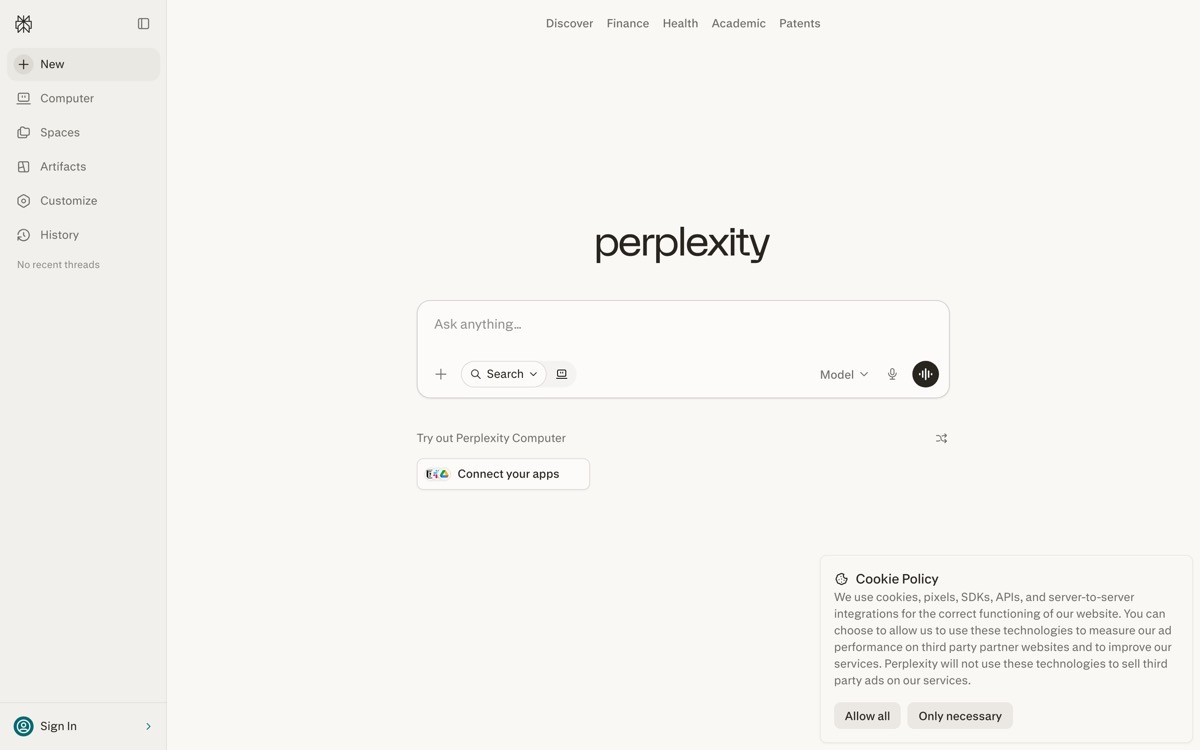
Perplexity is an AI answer engine that pairs a streamed model answer with numbered citations, source cards, and follow-up questions on a single page. It set the bar for how a research agent should render its work, and most other research surfaces in 2026 borrow at least one Perplexity pattern.
The distinctive value is the way every claim ties back to a numbered source. The user reads the answer, sees the small superscript next to the sentence, hovers to preview the source card, and clicks to dig in. The citation is not a footer afterthought, it is woven into the prose at the exact phrase it supports.
Key strengths
Numbered citation pills inline with the prose, not buried at the bottom
Source cards that show title, domain, and snippet on hover
Follow-up question suggestions rendered as tappable chips
Spaces for grouped research projects with shared context
Focus modes (Academic, Social, Writing) that switch the source mix
Pro Search and Deep Research for multi-step agentic queries
Best for
Researchers, analysts, and knowledge workers who need a verifiable answer fast
Power users who run multi-step research and want the agent to chain searches
Pricing
Free tier with standard search
Pro at $20 per month with Pro Search and file upload
Enterprise plans for team rollouts with admin controls
Pros
Tightest citation-to-claim binding in the category
Follow-up chips turn one query into a real research thread
Focus modes are a clean way to switch source quality without leaving the page
Cons
Source quality still varies by topic, so heavy domain research needs verification
No native enterprise knowledge integration the way Glean has
2. Elicit, best academic research agent UX
Elicit is an AI research assistant for scientific literature that renders search results as a structured, sortable table of papers rather than a chat-style answer. Each row is a paper, each column is an extracted attribute (population, intervention, outcome, sample size), and the UX is built around comparing studies side by side.
The distinctive value is the abandonment of chat as the primary surface. Researchers do not want a paragraph that summarizes ten papers, they want to see the ten papers in a row, sort by year, and filter by methodology. Elicit treats the table as the answer.

Key strengths
Paper search rendered as a sortable, filterable table
Custom columns for extracted attributes like methodology and sample size
Notebook surface for grouping searches by research question
PDF chat with documents you upload
Systematic review workflows for medical and scientific teams
Direct links to the original paper for every row
Best for
Academic researchers running literature reviews and meta-analyses
Medical, biotech, and policy teams that need structured paper extraction
Pricing
Free tier with limited credits
Plus at $12 per month with more credits and uploads
Pro and Team plans for higher-volume research
Pros
Table-as-answer is the strongest pattern in the category for comparative research
Custom column extraction is unique and powerful for systematic reviews
Notebook surface gives the research project a home
Cons
Narrow fit, overkill for casual web research
Slower than chat-style agents because extraction runs across many papers
3. You.com, best customizable research agent UX
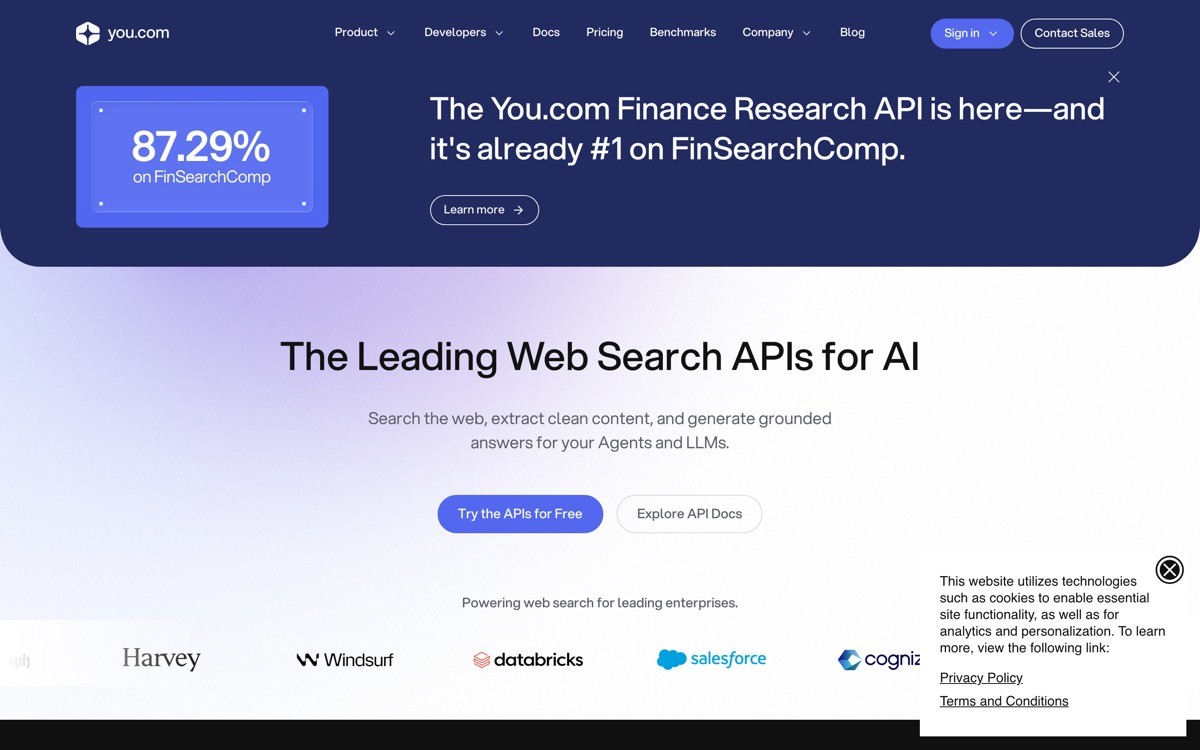
You.com is an AI search and research agent that exposes source-type filters and a model picker as first-class controls in the UI. Users can switch between web, academic, news, and personal-knowledge modes without leaving the page, and pick the underlying model for any answer.
The distinctive value is the explicit surface area for controlling the answer. Where Perplexity defaults to a single source mix and ChatGPT hides the model, You.com makes both visible. For users who care which LLM produced an answer and which sources informed it, that transparency is the entire pitch.
Key strengths
Source-type filters as a primary UI control
Model picker exposed in the chat surface
Custom AI personalities with their own prompts and tools
Files and history grouped per user
Research and Genius modes for multi-step agentic queries
API access for embedding the agent in your own product
Best for
Power users who want explicit control over which model and sources answer a question
Teams building on top of a research agent that exposes filter and model controls via API
Pricing
Free tier with limited queries
Pro at $15 per month with all models
Team and enterprise plans available
Pros
Source filters and model picker are the most explicit control surface in the category
Custom AI personalities are a clean abstraction for reusable workflows
API and embed options open the agent to product integrations
Cons
Smaller user base means the answer quality benchmarks lag Perplexity and ChatGPT
More controls means more decisions, which slows casual queries
4. Consensus, best evidence-based research agent UX
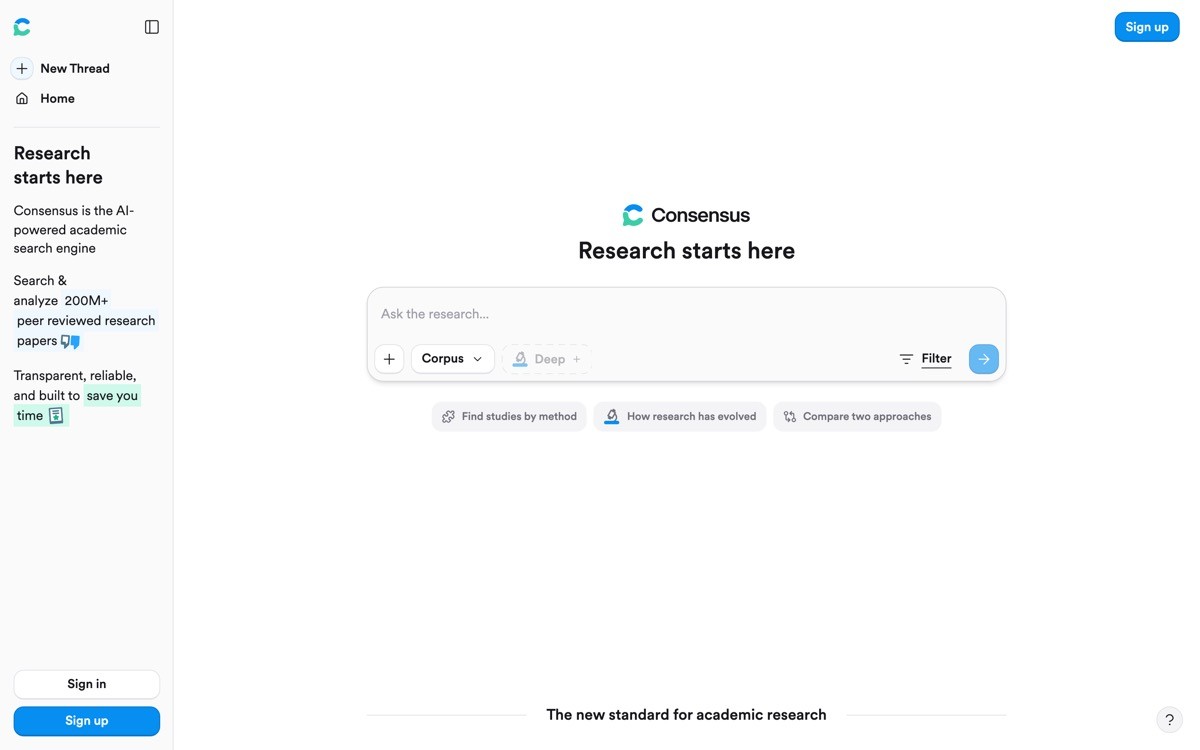
Consensus is an AI research agent focused on scientific papers that turns every query into a meta-summary across studies, with a yes-no-maybe verdict at the top and study-level evidence below. The UX takes a stance the others avoid: the agent will tell you what the literature actually concludes.
The distinctive value is the consensus meter, a visible bar that shows what percentage of relevant studies support a claim. For health, science, and policy questions, this turns the research agent from a search interface into a decision support tool.
Key strengths
Consensus meter rendered as a visible verdict on yes-no questions
Per-study summary cards with sample size and study type
Filters for study type, sample size, and journal quality
Saved studies and library for ongoing research
Pro analysis surfaces deeper extraction across the result set
Built on a peer-reviewed paper index
Best for
Doctors, dietitians, and health professionals needing evidence summaries fast
Policy researchers and journalists fact-checking science claims
Pricing
Free tier with basic search
Premium at $11.99 per month with consensus meter and pro analysis
Enterprise and academic plans available
Pros
Consensus meter is the most opinionated trust surface in the category
Per-study cards make the evidence base immediately scannable
Verticalized for science means lower hallucination risk than general agents
Cons
Narrow scope, not useful for non-scientific topics
Verdict UI risks oversimplifying complex evidence, needs careful product framing
5. Glean, best enterprise research agent UX
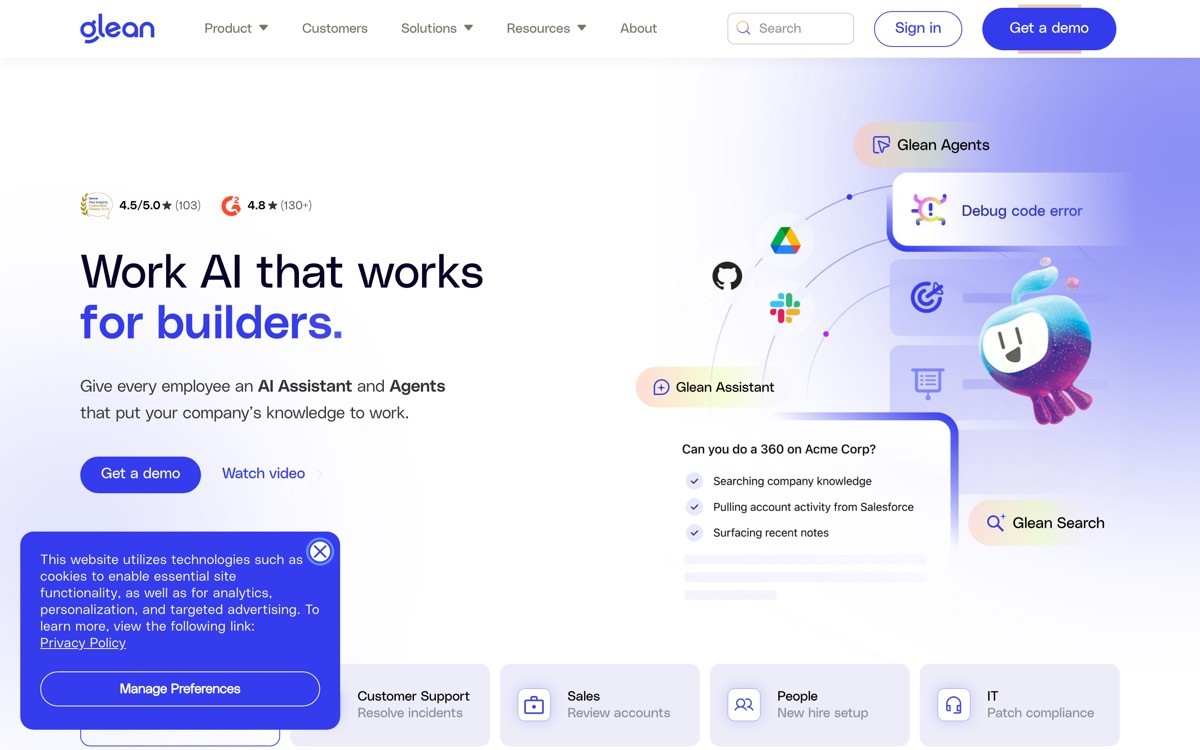
Glean is an enterprise AI research agent that indexes a company's internal SaaS apps (Slack, Notion, Drive, Jira, Salesforce) and answers questions with permission-aware citations. The UX treats internal documents as first-class sources, with the original app icon and document name surfaced inline.
The distinctive value is the permission layer. Glean only shows the user citations they are allowed to see, and it shows the source app right next to the answer so the user knows whether the claim came from a Slack thread, a Notion doc, or a Salesforce record. That makes the agent usable in regulated enterprise contexts where most research agents are not.
Key strengths
Permission-aware retrieval across all connected SaaS apps
Source app icon plus document name on every citation
Personalized answers grounded in the user's role and team
Agent platform for building custom internal workflows
Browser extension and Slack bot for in-context queries
Enterprise admin, audit, and compliance controls
Best for
Mid-to-large enterprises consolidating knowledge across many SaaS tools
Internal IT, HR, and ops teams that need a permission-aware search and answer layer
Pricing
Custom pricing on request, typically priced per user per year
Workplace Search and Assistant tiers with different feature scope
Pros
Permission-aware citations are the standard enterprise research agents must hit
Surfacing the source app icon makes the answer's provenance visible at a glance
Agent platform extends the value beyond simple search
Cons
Enterprise-only pricing puts it out of reach for individuals and small teams
Index setup and connector configuration add weeks to deployment
6. ChatGPT Search, best mass-market research agent UX
ChatGPT Search is OpenAI's web-search-enabled chat surface that renders web tool calls inline as part of the conversation. The UX sets the conversational baseline that most users now expect from any agent: ask, watch the search happen, get an answer with links.
The distinctive value is the reach. Every ChatGPT user has search built into their existing chat surface, with memory across conversations and Projects for grouped context. The web tool call is rendered as a small inline indicator so the user knows the model went out to the web rather than answering from training data.

Key strengths
Web search rendered as an inline tool call inside the chat
Source links surfaced under the answer with title and domain
Memory across chats so research compounds over time
Projects for grouped research with shared instructions and files
Deep Research mode for multi-step agentic queries
Native to ChatGPT mobile, desktop, and web
Best for
Mass-market users who already live in ChatGPT and want one tool for chat and research
Teams using Projects to scope long-running research with shared instructions
Pricing
Free tier with limited search
Plus at $20 per month with more usage and Projects
Pro and Business plans for heavy users and teams
Pros
Lowest-friction research UX for people already using ChatGPT
Memory across chats turns one-off queries into compounding context
Deep Research is the strongest mass-market agentic research mode
Cons
Citations are less tightly bound to claims than Perplexity
Source mix is opaque, no explicit filter for academic versus social versus news
7. Claude Projects, best long-context research agent UX
Claude Projects is Anthropic's research workspace that combines a 200K-plus token context window with uploaded knowledge files, persistent instructions, and web search as tools. The UX treats the project itself as memory, so the user uploads source documents once and every conversation in the project has access.
The distinctive value is the long-context posture. Where most research agents retrieve, summarize, and discard, Claude Projects keeps the whole knowledge base resident and lets the user ask questions across the entire upload set in one shot. For analysts working through a large document corpus, this collapses dozens of RAG queries into one conversation.
Key strengths
200K-plus context window with knowledge files as project memory
Persistent project instructions that condition every chat
Web search and document tools available inside any project
Artifacts panel for structured outputs alongside the chat
Team Projects with shared knowledge for collaboration
Strong reasoning quality on dense source material
Best for
Analysts working through a defined document set (legal filings, research papers, annual reports)
Teams that want a shared research workspace with project-level instructions
Pricing
Free tier with limited Projects
Pro at $20 per month with full Projects access
Team and Enterprise plans for collaboration
Pros
Long context plus knowledge files is the strongest document-grounded research UX
Project instructions persist across chats without prompt engineering each time
Artifacts give structured outputs a clean home next to the conversation
Cons
Citation UX inside long-context answers is weaker than Perplexity for web claims
No native verticalized features for academic literature like Elicit or Consensus offer
How to choose the best AI research agent UX for your work
1) Are you doing general web research or domain-specific work?
General web research with strong citations is what Perplexity and ChatGPT Search are built for. Academic literature is Elicit's home turf. Yes-or-no evidence questions about science are where Consensus dominates. Match the agent to the question shape, not the brand.
General web: Perplexity, ChatGPT Search, You.com
Academic literature: Elicit
Evidence summaries: Consensus
Internal knowledge: Glean
Long-context document corpora: Claude Projects
2) How important is citation provenance?
If the user needs to defend their answer in a meeting, a court, or a peer review, citation quality matters more than answer quality. Perplexity wins on web claims tied to specific phrases. Elicit and Consensus win on academic provenance. Glean wins on internal-document provenance with permissions.
3) Are you researching once or building a long-running project?
One-off queries are fine in ChatGPT Search or Perplexity. Long-running projects with returning context are where Claude Projects, Perplexity Spaces, and Elicit Notebooks earn their keep. Choose the surface that gives the project a home rather than scattering it across chats.
4) Is the research personal or organizational?
Personal research is well served by Perplexity, ChatGPT Search, You.com, Consensus, or Elicit depending on the topic. Organizational research that has to respect permissions, audit trails, and internal documents requires Glean or a Claude or ChatGPT enterprise deployment with internal connectors.
If you have picked your research agent but the surrounding product (the search UI, the source cards, the citation pills) still looks generic, that is where research agents lose trust in 2026. AY Design turns AI-built research and search products into interfaces that feel trustworthy by design, with conversion-focused landing pages, custom source cards, and brand systems that earn citations rather than fight them. Book a design audit to see what to fix first.
FAQ
What is an AI research agent?
An AI research agent is a software tool that uses a large language model plus search, retrieval, and document tools to answer research questions and surface citations. The best AI research agents in 2026 (Perplexity, Elicit, You.com, Consensus, Glean, ChatGPT Search, Claude Projects) all attach citations to claims and expose the source list as a primary part of the UX.
Which AI research agent has the best UX?
Perplexity has the best general-purpose AI research agent UX in 2026 because its citation pills are tied to individual claims and its source cards make verification one hover away. For evidence-based questions, Consensus has a stronger UX because of the yes-no-maybe verdict bar. For internal enterprise knowledge, Glean is the strongest because of its permission-aware citations.
What is the difference between Perplexity and ChatGPT Search?
Perplexity binds citations to specific sentences in the answer and surfaces source cards as a first-class element. ChatGPT Search renders web tool calls inline and lists sources under the answer, but the citation-to-claim binding is looser. Perplexity is the better pick when you need to verify each claim; ChatGPT Search is the better pick when you already live in ChatGPT.
Is Elicit better than Perplexity for academic research?
Elicit is better than Perplexity for structured academic literature reviews because it renders results as a sortable table of papers with extracted attributes. Perplexity is faster for one-off questions where you want a single answer with citations. Most academic researchers use both: Perplexity for orientation, Elicit for systematic review.
Can I use a research agent for internal company knowledge?
Yes, but you need a permission-aware research agent like Glean, or an enterprise deployment of ChatGPT or Claude with internal connectors. General-purpose tools like Perplexity and Elicit only index public sources. The UX move that distinguishes internal-knowledge agents is showing the source app icon (Slack, Notion, Drive) next to every citation.
Which research agent is best for evidence-based answers?
Consensus is the best AI research agent for evidence-based yes-or-no questions because it computes a meta-summary across studies and shows a consensus meter at the top of the answer. It is purpose-built for science and policy questions. For broader evidence work, Elicit's structured paper extraction is the stronger pick.
What UX patterns do all good research agents share?
All good research agent UX in 2026 shares five patterns: inline citation pills tied to specific claims, source cards with title and date, follow-up question suggestions, a clear visual marker when the agent performs a web or document search, and persistent context through projects or threads. Lift these patterns first before designing anything novel.
Should I build my own research agent UX?
Only build a custom research agent UX if you are serving a vertical that the general agents do not handle well (legal discovery, drug interaction lookup, security threat intel). Otherwise, use the Perplexity or Consensus pattern and tailor it to your domain. If you want a design partner to ship a research-agent UX that feels trustworthy by design, an AI-product design agency can adapt the proven patterns to your vertical without forcing the user to relearn citation behavior.
Checkout other Blogs:

Multi-agent system UX design guide for 2026
A pattern-by-pattern guide to designing multi-agent system UX in 2026, with a scoring matrix and references from Claude Code, LangGraph, Devin, and Replit Agent.
Author:
AY Designs Team

Human-in-the-loop AI design guide for 2026
A 2026 guide to human-in-the-loop AI design with patterns, scoring framework, and examples from Cursor, Claude Code, Stripe, and Notion AI.
Author:
AY Designs Team

How to design agentic AI products in 2026: a 7-step playbook
A seven-step design playbook for shipping agentic AI products that users actually trust, with scoring matrix and real product references from Cursor, Claude Code, Devin, and Perplexity.
Author:
AY Designs Team

How much does AI SaaS design cost in 2026?
AI SaaS design cost in 2026 by tier and engagement type, with ranges, timelines, and a value scorecard for founders shipping with Lovable, Bolt, and v0.
Author:
AY Designs Team