
Lovable went from "AI app builder demo" to "default starting point for non-technical founders" in less than two years. By 2026 the platform has a deep gallery of community-built apps and a growing library of starter templates that cover most early-stage SaaS patterns, from auth-gated dashboards to AI chat interfaces to two-sided marketplaces.
This guide walks through the best Lovable templates and examples in 2026 by pattern, not by name. We grouped them by what they actually let you ship: SaaS dashboards, marketing landing pages, AI chat apps, marketplaces, ecommerce stores, and community products. For each, you get a sense of what the generated starting point includes, what to keep, what to replace, and how to take it from "AI-built" to a real, profitable product.
TL;DR, the strongest Lovable starting points in 2026 are the SaaS dashboard template for B2B founders, the AI chat app pattern for builders shipping a copilot, the landing page pattern for fast validation, and the marketplace pattern for two-sided products, with ecommerce and community templates filling the long tail.
Best Lovable templates and example apps: a brief overview
SaaS dashboard template: Best overall starting point for B2B SaaS, ships with auth, sidebar layout, data tables, and Supabase wiring.
AI chat app pattern: Best for founders shipping a vertical AI copilot or chat-first product, includes streaming UI and conversation state.
Landing page pattern: Best for fast validation and capturing waitlist sign-ups before the product exists.
Marketplace pattern: Best for two-sided products where supply and demand both need accounts and listings.
Ecommerce store pattern: Best for digital-first product founders who want a Shopify alternative without the Shopify lock-in.
Community app pattern: Best for founders shipping a Discord or Circle replacement with custom rules.
Internal tool pattern: Best for ops, support, or back-office workflows where the surface is CRUD and the audience is small.
Template or pattern | Key strength | What you get | Best fit |
|---|---|---|---|
SaaS dashboard template | Auth, layout, tables, Supabase out of the box | Sidebar, charts, data tables, user settings | B2B SaaS founders |
AI chat app pattern | Streaming responses, conversation state | Chat UI, message history, system prompt config | Vertical AI copilots |
Landing page pattern | Fast hero plus waitlist plus copy iteration | Hero, features, CTA, email capture | Pre-product validation |
Marketplace pattern | Two-sided auth, listings, search | Buyer and seller accounts, listings, filters | Two-sided products |
Ecommerce store pattern | Product pages, cart, checkout flow | Catalog, cart, Stripe integration | Digital and physical goods |
Community app pattern | Posts, threads, member directory | Forum or feed, profiles, notifications | Niche community founders |
Internal tool pattern | CRUD plus roles plus integrations | Tables, forms, role-based access | Ops and back-office |
1. SaaS dashboard template, best overall starting point for B2B founders
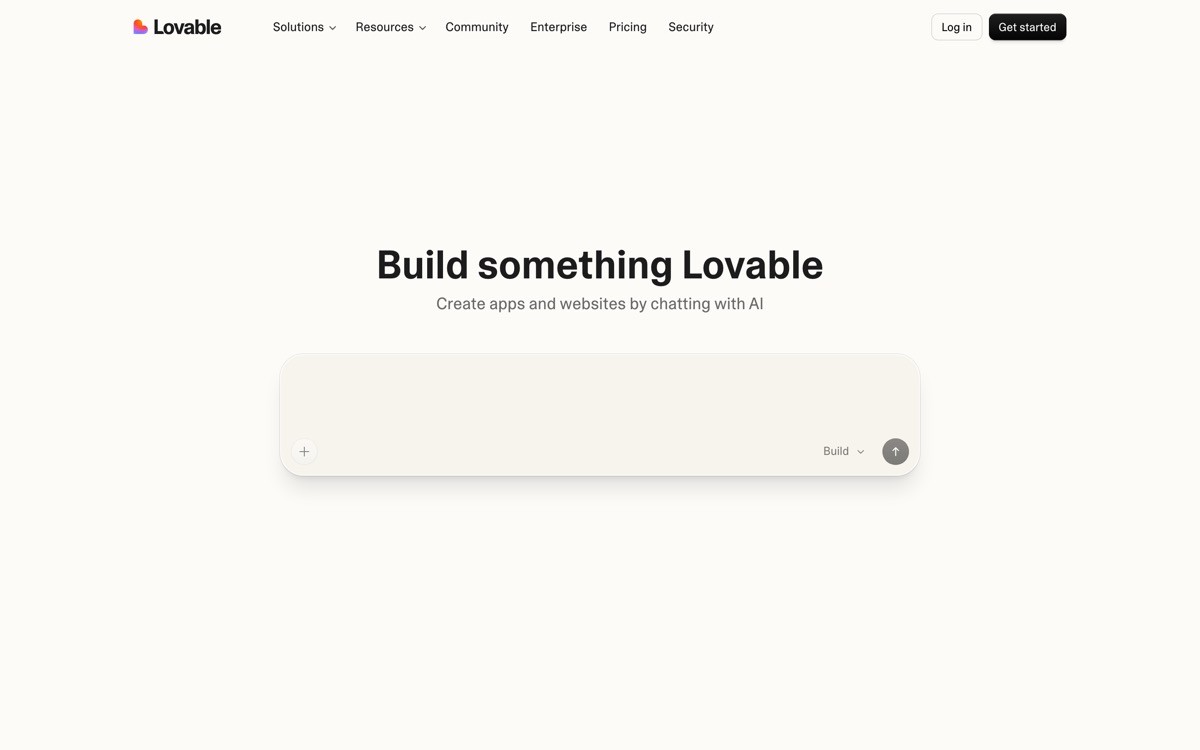
The SaaS dashboard template is a Lovable starting point that ships a logged-in product shell, sidebar navigation, a data table view, a settings page, and Supabase wiring for auth and persistence. It is the most common starting point for B2B founders because it lines up with how almost every modern SaaS is structured.
What makes it the strongest overall pick is the surface area it covers without you having to prompt for the basics. Auth flows, user profiles, and the dashboard skeleton are time sinks if you build them prompt-by-prompt. A template gets you to the part that actually matters, the unique workflow that justifies your product, in your first session instead of your fifth.
Key strengths
Auth-protected routes with sign-up, sign-in, and password reset flows
Sidebar layout with collapsible navigation and active states
Data table component with sorting, filtering, and pagination
User settings page with profile and account management
Supabase integration for database and auth
Light and dark mode theming
Best for
B2B SaaS founders shipping their first product
Internal tools that need user accounts and a clean dashboard view
Solo founders who want auth and database wired up before they write a single prompt
Pricing
Available within Lovable's free tier limits
Custom domains and private projects on paid plans
Pros
Saves the first three or four prompts of every B2B SaaS build
Default structure matches how SaaS UX is expected to feel in 2026
Auth and database wiring removes the most common stuck point for non-technical founders
Cons
Default visual language can feel generic and needs a design pass before launch
Sidebar and table patterns are not the right fit for every product surface
2. AI chat app pattern, best for shipping a vertical copilot
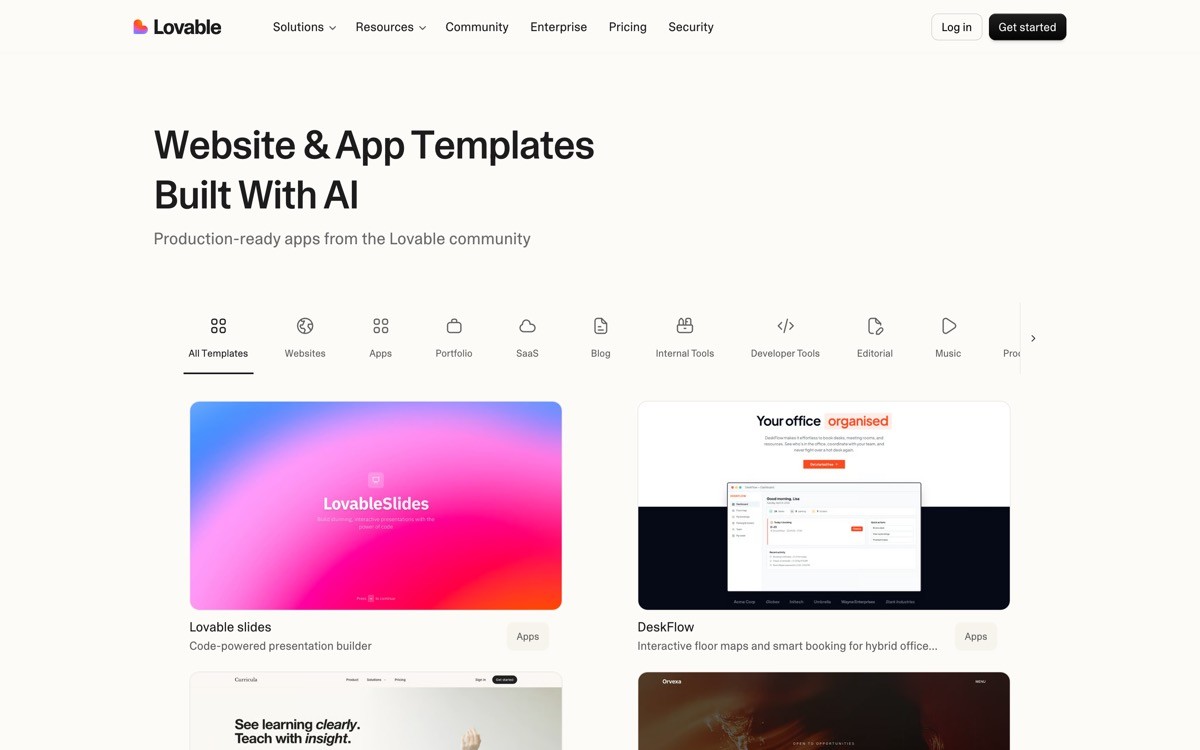
The AI chat app pattern is a Lovable starting point that ships a chat interface, conversation state, message streaming, and a hook for plugging in any LLM provider. It is the right starting point for founders building a vertical AI copilot, an internal chat tool, or any product where the core UX is a conversation.
The distinctive value is the streaming UX, which is harder than it looks. Token-by-token rendering, scroll-pinning, abort handling, and loading states are a multi-day project from scratch. Starting from this pattern lets you focus on the system prompt, the data, and the tools your copilot uses, which is where your product's actual differentiation lives.
Key strengths
Streaming response UI with token-by-token rendering
Conversation history persisted to Supabase
Configurable system prompt and model selection
Markdown rendering for assistant responses
Abort and retry handling for in-flight messages
Hooks for tool calls and function execution
Best for
Founders shipping a vertical AI copilot for a specific industry or workflow
Internal teams building a chat layer over their own data
Builders prototyping a chat-first product before deciding on a final UX
Pricing
Pattern is available within standard Lovable plans
You pay separately for the underlying LLM provider tokens
Pros
Streaming UX out of the box, which is the hardest part of chat to get right
Conversation state lives in Supabase, so it survives reloads and supports history
Easy to swap models or providers as the AI landscape shifts
Cons
Default UI looks like every other chat app, design iteration is needed for differentiation
Tool-use and agentic flows still require custom prompt engineering
3. Landing page pattern, best for fast validation before the product exists
The landing page pattern in Lovable is a single-page marketing site that ships with a hero, feature blocks, social proof, pricing, and an email capture form. It is the right starting point when you want to validate demand before building the actual product.
What makes it useful in 2026 is the iteration speed. You can prompt for a new headline, regenerate the hero in a different tone, swap the feature framing, and ship the changes in minutes. That feedback loop, combined with a basic email capture wired to Supabase or a CRM, is enough to test five or six positioning angles in a weekend.
Key strengths
Hero section with headline, sub-headline, and primary CTA
Feature blocks with icons, copy, and screenshots
Social proof section for logos or testimonials
Pricing or waitlist module
Email capture form wired to Supabase
Responsive layout with mobile-first defaults
Best for
Founders validating a positioning angle before writing a line of product code
Pre-launch waitlist pages with email capture
Solo builders running quick paid-traffic tests on different headlines
Pricing
Free tier covers most landing-page validation use cases
Custom domain available on paid plans
Pros
Fastest path from idea to shippable validation page
Email capture is wired up by default, no extra service needed
Easy to iterate on copy and positioning without rebuilding
Cons
Visual ceiling is lower than a dedicated landing page builder like Framer or v0
Default look will feel templated unless you spend time on type, spacing, and imagery
4. Marketplace pattern, best for two-sided products
The marketplace pattern in Lovable is a starting point for two-sided products, with separate flows for buyers and sellers, listings, search and filters, and basic messaging. It is the right scaffold when your product needs two distinct user types interacting through a structured exchange.
The distinctive value is the role-based foundation. Most builders generate single-user apps by default. Two-sided products need separate onboarding, separate permissions, and shared discovery surfaces. Starting from a marketplace pattern saves the first dozen prompts you would otherwise spend reconciling these.
Key strengths
Buyer and seller account types with separate onboarding flows
Listing creation, editing, and management for sellers
Search and filter UI for buyers
Basic in-app messaging between users
Stripe Connect or similar pattern for split payments
Reviews and ratings UI components
Best for
Founders building niche service marketplaces or freelance platforms
Two-sided product founders who need both supply and demand UX
Builders prototyping a remix of an existing marketplace for a new niche
Pricing
Available within Lovable's standard plans
Stripe Connect requires its own setup and fees
Pros
Saves the most painful prompts in any two-sided product, role separation and permissions
Search and filter UI is wired up rather than prompted from scratch
Stripe Connect pattern handles split payments cleanly
Cons
Trust and safety features (disputes, fraud, identity verification) still need to be built
Discovery UX needs heavy iteration to feel like a real marketplace
5. Ecommerce store pattern, best for digital-first product founders
The ecommerce store pattern in Lovable ships a product catalog, product detail pages, a cart, and Stripe checkout. It is the right starting point for founders selling digital products, downloadable assets, or limited-SKU physical goods without the overhead of Shopify.
The distinctive value is the control surface. Shopify is fast to launch but expensive to customize, and most themes are obvious to spot. Starting from a Lovable ecommerce pattern means the look, the checkout flow, and the data model are all yours from day one, which matters when the brand is the differentiator.
Key strengths
Product catalog with categories, search, and filters
Product detail page with image gallery and variant selection
Cart and checkout with Stripe
Order history for logged-in customers
Basic admin view for managing products and orders
Mobile-first responsive layout
Best for
Founders selling digital products like templates, courses, or downloads
Small-batch physical goods makers who want full design control
Subscription or membership products with simple billing needs
Pricing
Pattern available within Lovable's standard plans
Stripe fees apply to transactions
Pros
Full control over checkout UX, which is one of the highest-leverage conversion surfaces
Cleaner brand expression than most Shopify themes
Cheaper than Shopify for stores with low SKU counts
Cons
Misses out on Shopify's ecosystem of apps and integrations
Inventory and shipping logic for large catalogs is a heavier lift than Shopify
6. Community app pattern, best for Discord and Circle alternatives
The community app pattern in Lovable is a starting point for forum-style or feed-style community products, with posts, threads, member profiles, and basic notifications. It is the right scaffold when you want a custom community product instead of running everything on Discord or Circle.
The distinctive value is ownership. Running a community on Discord means accepting Discord's UX, Discord's monetization, and Discord's terms. A custom community app means you control the data, the look, the rules, and the way members find each other. For paid communities and member-led products, that ownership translates directly to retention.
Key strengths
Posts and threads with markdown and basic media
Member profiles with avatars, bios, and activity history
Basic notifications for replies and mentions
Channel or category structure for organizing discussions
Search across posts and members
Admin tools for moderation
Best for
Founders running paid niche communities who want their own product
Course creators replacing Circle or Discord with branded community
Niche professional networks where Discord is the wrong tone
Pricing
Pattern available within Lovable's standard plans
Notifications via email require connecting an ESP
Pros
Full ownership of the community UX, brand, and data
Easy to iterate on what makes the community valuable, not constrained by Discord patterns
Better-fit UX for paid and professional communities than chat-first tools
Cons
Real-time chat is harder to do well than threaded discussion
Notifications and engagement loops require explicit work to build retention
7. Internal tool pattern, best for ops and back-office workflows
The internal tool pattern in Lovable is a starting point for back-office apps, with tables, forms, role-based access, and integrations to common data sources. It is the right scaffold when the audience is small (your team) and the surface area is mostly CRUD over real business data.
The distinctive value is the cost-benefit fit. Internal tools rarely justify a dedicated engineering team, but they also rarely fit into a no-code platform with a per-seat price. A Lovable starting point built on Supabase scales to dozens of internal users without per-seat licensing while staying close enough to standard React for any engineer to extend later.
Key strengths
Editable data tables with inline editing
Form components for creating and updating records
Role-based access with admin and standard user roles
Connectors for Supabase, Postgres, and REST APIs
Search and filter across records
Activity log for audit and debugging
Best for
Ops teams running customer support, billing, or data review workflows
Founders building internal admin views for their own product
Small teams that need a fast back-office layer for an existing data source
Pricing
Pattern available within Lovable's standard plans
No per-seat costs for internal users
Pros
Cheaper than per-seat internal-tool platforms like Retool at scale
Output is real React, so it survives the next migration
Connectors handle the most common data sources without extra work
Cons
Out-of-the-box look is functional, not polished
Complex permissioning models will need additional logic
How to choose the best Lovable template or example for your project
1) Are you validating an idea or building a real product?
If you are validating, start from the landing page pattern and capture emails. Do not build the product first. If you are building, start from the SaaS dashboard template or one of the workflow-specific patterns above. Building the full product before validating the angle is the most common mistake non-technical founders make in 2026.
2) Is your product single-user or multi-user?
Single-user productivity tools fit cleanly inside the SaaS dashboard template. Multi-user products with distinct roles (marketplace, community, two-sided platforms) benefit from a pattern that handles role separation from day one. Trying to retrofit roles into a single-user template later is the second most common stuck point.
3) Is your differentiator the workflow or the brand?
If the differentiator is the workflow (e.g., a vertical AI copilot, a niche operations tool, a unique two-sided exchange), the Lovable pattern carries 70 percent of the work and the rest is prompt iteration on logic. If the differentiator is the brand (e.g., a consumer SaaS, a designer-led tool, a premium ecommerce experience), expect to bring in a design partner once the product is working. The template gets you live, then craft makes it convert.
4) How much of the UI do you plan to keep when you scale?
Most templates get replaced within six months of product-market fit. That is not a failure of the template, it is the natural arc of an AI-built product. Pick the template that best matches your first 90 days, ship, learn, then redesign with intent once you have real usage data.
If you have shipped your Lovable app and want a design partner to turn the AI-built output into a profitable, human-grade product, landing pages that convert, dashboards that do not look templated, brand systems that feel unicorn-grade, that is what AY Design does. We help non-technical founders and product teams ship AI-built SaaS that does not look AI-built. Book a design audit to see what to fix first.
FAQ
What are the best Lovable templates in 2026?
The best Lovable templates in 2026 are the SaaS dashboard template for B2B founders, the AI chat app pattern for vertical copilots, the landing page pattern for validation, and the marketplace pattern for two-sided products. Ecommerce, community, and internal tool patterns cover the long tail of common early-stage product shapes.
Are Lovable templates free to use?
Yes, Lovable's templates and starting patterns are available within the free tier, which has daily prompt and message limits. Paid plans unlock higher limits, custom domains, private projects, and team collaboration features.
Can I customize a Lovable template?
Yes, every Lovable template can be customized by prompting the editor, editing the underlying React code, or syncing the project to GitHub and working on it locally. Most founders start by prompting changes inside Lovable, then move to GitHub plus an IDE like Cursor once the changes get more granular.
What is the best Lovable example for a SaaS startup?
For a B2B SaaS startup, the strongest Lovable example pattern is the dashboard template combined with an auth flow and Supabase wiring, which together cover the first three to five prompts of every product build. From there, the unique workflow that justifies your product is what you actually spend prompts on.
Can I ship a Lovable app to production?
Yes, Lovable apps can run in production with paying users, and many founders in 2026 do exactly that. The catch is that scaling beyond a few hundred users usually requires reading the generated code, fixing bugs that prompt-only iteration cannot reach, and bringing in a developer or design partner once the product needs custom engineering or real brand polish.
What is the difference between a Lovable template and a Lovable example app?
A Lovable template is a reusable starting point that you fork into a new project to skip the setup work. A Lovable example app is a finished community-built app shared in the gallery, useful for inspiration and to study how others solved a specific UX problem, but not always meant to be forked directly.
Should I use a Lovable template or start from a blank prompt?
Use a template when the product shape is well-understood (SaaS dashboard, landing page, AI chat, marketplace, ecommerce). Start from a blank prompt when the product shape is unusual and the template would constrain your thinking more than it would help. Templates save time on the boilerplate, not on the unique logic.
What happens when my Lovable app stops looking custom?
Most AI-built apps hit a design ceiling within the first three to six months as the generic look starts costing conversions and brand trust. At that point founders typically bring in a design partner to redesign landing pages, rebuild the dashboard UX, and ship a brand system that makes the product feel intentional. An AI-product design agency handles that redesign sprint end-to-end without forcing you to rebuild the app from scratch.
Checkout other Blogs:

Multi-agent system UX design guide for 2026
A pattern-by-pattern guide to designing multi-agent system UX in 2026, with a scoring matrix and references from Claude Code, LangGraph, Devin, and Replit Agent.
Author:
AY Designs Team

Human-in-the-loop AI design guide for 2026
A 2026 guide to human-in-the-loop AI design with patterns, scoring framework, and examples from Cursor, Claude Code, Stripe, and Notion AI.
Author:
AY Designs Team

How to design agentic AI products in 2026: a 7-step playbook
A seven-step design playbook for shipping agentic AI products that users actually trust, with scoring matrix and real product references from Cursor, Claude Code, Devin, and Perplexity.
Author:
AY Designs Team

How much does AI SaaS design cost in 2026?
AI SaaS design cost in 2026 by tier and engagement type, with ranges, timelines, and a value scorecard for founders shipping with Lovable, Bolt, and v0.
Author:
AY Designs Team