
WordPress still runs roughly 40 percent of the web in 2026, while Webflow has quietly become the default pick for design-led SaaS teams. The decision between the two is no longer about features on a checklist. It is about how much time you want to spend maintaining the platform versus building the product.
This guide compares Webflow vs WordPress across seven decision dimensions that show up in real SaaS teams: design control, hosting and performance, SEO depth, plugin ecosystem, security and maintenance, total cost over 24 months, and the workflow your team will actually live with. We focused on what matters for a marketing site that supports a SaaS product, not a generic content blog.
TL;DR, for most modern SaaS teams in 2026 Webflow is the faster, more maintainable choice for marketing sites; WordPress remains the right call for content-first businesses, complex membership or e-commerce flows, and teams that already have a developer comfortable in PHP.
Webflow vs WordPress for SaaS: a brief overview
Design control: Webflow wins. The visual editor gives designers pixel-level control without theme files. WordPress depends on a theme or page builder, which adds layers.
Hosting and performance: Webflow wins by default. Managed hosting and a global CDN are bundled. WordPress can match it but only with a paid managed host and tuning.
SEO depth: WordPress wins on plugin depth via Yoast and Rank Math. Webflow ships strong SEO basics natively, but tooling for content-heavy SEO programs is thinner.
Plugin and ecosystem: WordPress wins on raw count, with 60,000 plus plugins. Webflow's marketplace is smaller but curated, with fewer compatibility surprises.
Security and maintenance: Webflow wins. The platform handles updates, patches, and security. WordPress requires ongoing plugin updates, backups, and security plugins.
Total cost over 24 months: WordPress is cheaper on paper, more expensive once you add managed hosting, premium plugins, and developer time. Webflow's pricing is more honest at the start.
Team and editor workflow: Webflow's Editor mode is cleaner for designers and small teams. WordPress's Block Editor and admin dashboard are more familiar to writers and large content teams.
Criterion | Webflow | WordPress | Winner for SaaS |
|---|---|---|---|
Design control | Native visual editor, pixel control | Theme or page builder dependent | Webflow |
Hosting and performance | Managed AWS CDN bundled | Depends on host, needs tuning | Webflow |
SEO depth | Strong native basics | Deeper via Yoast, Rank Math | WordPress for content-heavy SaaS |
Plugin ecosystem | Smaller, curated marketplace | 60,000 plus plugins | WordPress |
Security and maintenance | Handled by platform | Owner responsibility | Webflow |
Total cost over 24 months | Predictable, mid-range | Variable, often higher with tuning | Webflow for most SaaS teams |
Team and editor workflow | Editor mode for safe edits | Familiar admin and Block Editor | Tie, depends on team shape |
1. Design control and visual fidelity
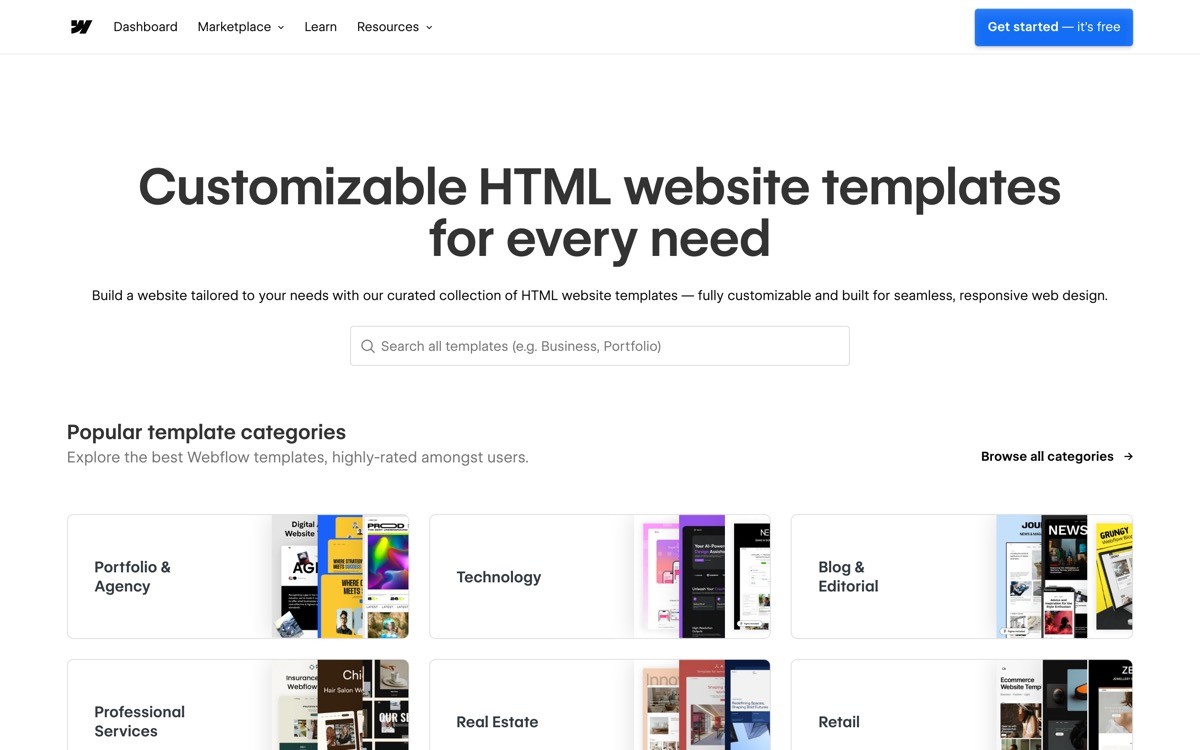
Design control is how directly a designer can shape the page without going through theme files, page builder constraints, or third-party developers. For SaaS teams where the marketing site needs to feel as polished as the product, this dimension is decisive.
Webflow exposes the underlying HTML, CSS, and Flexbox or Grid layout through a visual canvas. A designer who understands class systems can ship a custom marketing site that matches a Figma file pixel for pixel, without writing HTML by hand. There is no theme layer to fight, no page builder shortcode soup.
WordPress design depends entirely on the chosen theme and page builder. A Block Editor and Full Site Editing have matured significantly by 2026, and tools like Bricks, Breakdance, and Elementor offer near-visual control. The trade-off is layers: the theme defines structure, the page builder defines layout, and custom CSS fills the gaps. The result can match Webflow's output but takes longer and breaks more often.
How each handles it
Webflow: native visual editor, class system, no theme layer
WordPress: theme plus page builder plus custom CSS, multiple layers to coordinate
Both: support custom code embeds for complex effects
Winner
Webflow wins for design-led SaaS where the marketing site is part of the product story
WordPress can match Webflow's output but with more setup and more brittle layering
Recommendation
Pick Webflow if a designer owns the visual quality of the site
Pick WordPress only if you have an experienced builder who has already standardised on a page builder stack
2. Hosting and performance out of the box
Hosting and performance covers Core Web Vitals, CDN reach, image optimization, uptime, and the cost of getting a fast site without ongoing tuning. SaaS teams pay for marketing traffic; slow sites burn that spend.
Webflow ships on AWS-backed infrastructure with a global CDN, automatic image optimization, and managed SSL. A standard Webflow site passes Core Web Vitals without any tuning, and the publish-to-live pipeline is one button. There is no plugin to install, no caching layer to configure, no host migration to plan.
WordPress performance is entirely dependent on the host and configuration. A site on cheap shared hosting will fail Core Web Vitals; a site on a quality managed host with proper caching and image optimization can match Webflow's defaults. The catch is that getting there requires choices and ongoing attention, and the bill for managed WordPress hosting plus a CDN often exceeds Webflow's all-in cost.
How each handles it
Webflow: bundled CDN, image optimization, SSL, no caching setup needed
WordPress: depends on host (Kinsta, WP Engine, Rocket), needs caching plugin and CDN config
Both: support custom domains, staging, and redirects
Winner
Webflow wins for fast-by-default performance with no tuning
A tuned WordPress site on premium managed hosting can match Webflow, with more moving parts
Recommendation
If you do not have a developer to maintain caching and image pipelines, Webflow is the safer choice
If you already run other sites on a quality managed WordPress host, the marginal cost of adding one more is low
3. SEO depth and content tooling
SEO depth covers on-page tooling, schema management, sitemap control, redirect handling, and the ecosystem of plugins or features that help a content team execute a real SEO program.
WordPress has the deepest SEO tooling on the web. Yoast and Rank Math ship enterprise features for free, schema markup is configurable per content type, programmatic SEO is straightforward via custom post types, and the broader ecosystem of SEO plugins handles internal linking, redirect management, and content briefs. For a content-led SaaS aiming to publish hundreds of articles, WordPress's depth is hard to match.
Webflow ships strong SEO basics natively: clean HTML, fast load times, native sitemap generation, per-page meta and Open Graph fields, and CMS-level schema injection. For most SaaS marketing sites with a focused blog, this is enough. For programmatic SEO at scale, Webflow's CMS can model the templates but lacks the plugin layer WordPress offers for internal linking automation and content briefs.
How each handles it
Webflow: native meta fields, sitemap, OG tags, custom schema in CMS items
WordPress: Yoast, Rank Math, AIOSEO plugins for deep on-page and technical SEO
Both: support 301 redirects and canonical URLs
Winner
WordPress wins for content-heavy SaaS with a real SEO program
Webflow is enough for most product-led SaaS where SEO is one channel among many
Recommendation
Pick WordPress if you plan to ship more than 50 articles a quarter or run programmatic SEO at scale
Pick Webflow if your SEO plan is a focused blog plus landing pages and the design polish matters
4. Plugin and integration ecosystem
Plugin ecosystem covers raw count, quality, compatibility, and the ease of extending the platform with forms, membership, analytics, marketing automation, and e-commerce.
WordPress has over 60,000 plugins. Almost any integration you can imagine exists, often in three competing flavors. The trade-off is compatibility risk: plugins from different vendors conflict, performance drops as the stack grows, and updates occasionally break the site. Quality varies wildly.
Webflow's marketplace is smaller but curated. Native integrations cover forms, analytics, CRM, and basic membership. Third-party tools like Memberstack, Outseta, and Wized fill the gaps for SaaS-specific use cases (gated content, paywalls, app-like UX). You will hit fewer integration walls in WordPress, but you will also hit fewer compatibility surprises in Webflow.
How each handles it
Webflow: curated marketplace, native integrations, Logic for branching, Memberstack for membership
WordPress: 60,000 plus plugins, including WooCommerce, MemberPress, LearnDash
Both: support Zapier, Make, and webhooks for custom integrations
Winner
WordPress wins on raw count and any niche use case (LMS, complex e-commerce, advanced membership)
Webflow wins on integration quality and compatibility stability
Recommendation
Pick WordPress if your marketing site doubles as an LMS, store, or membership platform
Pick Webflow if your needs are forms, analytics, CRM, and basic membership
5. Security and maintenance burden
Security and maintenance covers patching, plugin updates, backups, malware scanning, downtime risk, and the ongoing cost of keeping the site safe.
Webflow is a fully managed platform. The Webflow team handles infrastructure security, SSL renewal, and platform updates. You do not install security plugins, do not configure backups, do not worry about a vulnerable theme. The trade-off is less control: you cannot harden the server yourself, and you depend on Webflow's response if something goes wrong.
WordPress security is owner responsibility. Themes and plugins are a regular attack surface, and high-traffic SaaS sites are routinely targeted. Best practice means a security plugin (Wordfence or Patchstack), automated backups, regular plugin updates, and a managed host that handles patches at the server level. As of 2026, the practical maintenance load on a tuned WordPress site is small but never zero.
How each handles it
Webflow: platform-managed updates, SSL, backups, no plugin patching
WordPress: owner-managed updates, backup and security plugins, manual patching cycle
Both: support staging environments and version history
Winner
Webflow wins by a wide margin for security-by-default and zero maintenance load
WordPress is fine if you have the bandwidth for an ongoing maintenance routine
Recommendation
For SaaS teams without a dedicated webmaster, Webflow removes a real risk
If you have a developer who already maintains other WordPress sites, the marginal load is small
6. Total cost over 24 months
Total cost covers the realistic 24-month bill for running a SaaS marketing site, including platform fees, hosting, premium plugins or templates, developer time, and the cost of downtime or migration if something breaks.
Webflow's pricing is honest at the start. A typical SaaS marketing site lands between 30 and 60 dollars per month for the CMS site plan, plus a workspace plan if you need contributor seats. No separate hosting, no premium plugin licenses, no developer retainer for upkeep. The 24-month bill is predictable.
WordPress looks cheaper on the surface. Hosting starts at 10 dollars a month, the platform is free, and many plugins have free tiers. The realistic SaaS-grade bill is higher: managed hosting (Kinsta or WP Engine) runs 30 to 100 dollars a month, premium plugin licenses for SEO, forms, security, and backups add 200 to 500 dollars a year, and developer time for updates and fixes adds up. As of 2026, a well-run WordPress SaaS site often costs more than a Webflow equivalent once everything is on the invoice.
How each handles it
Webflow: bundled platform, hosting, CDN, security for a predictable monthly fee
WordPress: separate hosting, plugins, security, and maintenance costs that compound
Both: can be cheaper at the smallest scales, more comparable at SaaS scale
Winner
Webflow wins on total cost honesty and predictability
WordPress can be cheaper for content-heavy sites with developer time already paid for
Recommendation
Model both at the realistic full stack, not the sticker price, before deciding
If you have no in-house WordPress maintainer, assume Webflow will be cheaper over 24 months
7. Team workflow and editor experience
Team workflow is how the platform supports the people who actually update the site week to week: designers, writers, marketers, and occasionally engineers.
Webflow ships a designer mode for layout and an editor mode for content. The editor mode shows the live site and lets contributors update text, images, and CMS items without touching layout. For small SaaS marketing teams this separation prevents accidents.
WordPress's admin dashboard is one of the most familiar interfaces on the web. The Block Editor (Gutenberg) is mature by 2026 and gives writers a clean editing experience similar to Notion or Medium. The trade-off is that the admin exposes more surface area, including settings that a non-technical contributor should not touch without supervision.
How each handles it
Webflow: separate designer and editor modes, on-page editing, safe roles
WordPress: admin dashboard with Block Editor, granular role permissions
Both: support scheduled publishing, revisions, and contributor roles
Winner
Webflow wins for safe-by-default contributor editing and small SaaS marketing teams
WordPress wins for larger content teams familiar with the admin and Block Editor
Recommendation
Pick Webflow if a designer or solo marketer runs the site
Pick WordPress if you have a dedicated content team that publishes daily
How to choose Webflow or WordPress for your SaaS
1) Is design fidelity or content scale the bigger priority?
Design-led SaaS teams gain more from Webflow's native visual editor and zero theme overhead. Content-led SaaS teams aiming to ship 500 articles a year still benefit from WordPress's ecosystem, especially for SEO tooling and editorial workflows.
2) Do you have a developer or maintainer available?
WordPress assumes someone is patching plugins and watching the host. Webflow assumes nobody is. If you do not have a maintainer, Webflow removes a category of risk and ongoing cost.
3) What integrations does your marketing stack need?
If you need an LMS, a complex membership system, or a fully customised store, WordPress's plugin depth wins outright. If you need forms, analytics, CRM, and a paywall, Webflow plus Memberstack covers most SaaS marketing site needs cleanly.
4) What is your realistic 24-month budget including downtime cost?
Webflow's monthly fee is higher than cheap WordPress hosting. The total bill is often lower once you add managed hosting, plugin licenses, and developer time. Run the full math at your projected scale before deciding.
If you've picked a platform but want a design partner to turn the marketing site into a conversion-grade asset for your AI SaaS, that's what AY Design does. We build Webflow and WordPress SaaS sites that don't look templated, with landing pages, dashboards, and brand systems built for real users. Book a design audit to see what to fix first.
FAQ
Is Webflow better than WordPress for SaaS in 2026?
Webflow is better than WordPress for most modern SaaS marketing sites in 2026 because it ships managed hosting, security, and a visual editor in one bundle. WordPress remains better for content-heavy SaaS with serious SEO programs or complex integrations like LMS or e-commerce.
Is Webflow more expensive than WordPress?
Webflow has a higher sticker price than basic WordPress hosting, but the realistic total cost is often lower once you add managed hosting, premium plugins, security, and developer time. For most SaaS teams, Webflow is cheaper over 24 months.
Is WordPress more SEO-friendly than Webflow?
WordPress has deeper SEO tooling thanks to plugins like Yoast and Rank Math, which makes it more SEO-friendly for content-heavy programs. Webflow ships strong SEO basics natively and is sufficient for most product-led SaaS where SEO is one channel among many.
Can I run a SaaS marketing site on Webflow at scale?
Yes, many SaaS companies run their marketing sites on Webflow at scale, including teams with hundreds of CMS pages and high traffic volumes. The platform handles performance and security at scale; the main constraint is CMS item count, which is capped per plan.
Is Webflow easier than WordPress?
Webflow has a steeper initial learning curve than the WordPress admin, but a shallower ongoing maintenance curve. After the first build, Webflow asks less of your team week to week, while WordPress asks more in patching, updates, and security.
Can I migrate from WordPress to Webflow?
You can migrate from WordPress to Webflow in 2026, but it is a focused rebuild rather than a one-click import. Content can be exported as XML or CSV and reimported into Webflow's CMS, but design, theme, and plugin functionality have to be rebuilt natively.
Which platform is more secure, Webflow or WordPress?
Webflow is more secure by default because the platform handles infrastructure security, patching, and SSL. WordPress can be made equally secure with the right host, plugins, and maintenance routine, but the responsibility sits with the site owner.
Should I use Webflow or WordPress for a SaaS blog?
Use WordPress for a SaaS blog if you plan to publish frequently with a dedicated content team and want the deepest SEO tooling. Use Webflow if your blog is one of several marketing channels and the design quality of your marketing site matters as much as the content cadence.
Checkout other Blogs:

Multi-agent system UX design guide for 2026
A pattern-by-pattern guide to designing multi-agent system UX in 2026, with a scoring matrix and references from Claude Code, LangGraph, Devin, and Replit Agent.
Author:
AY Designs Team

Human-in-the-loop AI design guide for 2026
A 2026 guide to human-in-the-loop AI design with patterns, scoring framework, and examples from Cursor, Claude Code, Stripe, and Notion AI.
Author:
AY Designs Team

How to design agentic AI products in 2026: a 7-step playbook
A seven-step design playbook for shipping agentic AI products that users actually trust, with scoring matrix and real product references from Cursor, Claude Code, Devin, and Perplexity.
Author:
AY Designs Team

How much does AI SaaS design cost in 2026?
AI SaaS design cost in 2026 by tier and engagement type, with ranges, timelines, and a value scorecard for founders shipping with Lovable, Bolt, and v0.
Author:
AY Designs Team