
AI product onboarding is harder than regular SaaS onboarding for one reason: the user needs a wow moment in the first thirty seconds, and the wow has to be the actual output of the model, not a tour. Skip that and the buyer churns before they ever see the product work. Spend too long on tutorials and they bounce before they hit the magic. The window is small, and most AI tools waste it on welcome modals, persona quizzes, and feature tours.
The AI onboarding flows that activate in 2026 share a small set of patterns. Defer signup until the user sees something work. Use the first prompt or input as the activation event. Replace tooltips with inline output. Make the first artifact memorable enough to share. Each of the products in this list does some version of these moves, and the design choices are worth pulling apart for any AI product trying to lift activation rate.
TL;DR, if you only steal one move, copy Lovable or Perplexity: let the user produce a real artifact before you ask for an email, and treat the first generated output as the activation event, not the signup.
Best AI onboarding flows: a brief overview
OpenAI ChatGPT: Best mass-market onboarding, frictionless signup with immediate first chat.
Anthropic Claude: Best trust-first onboarding, leads with use cases over features.
Cursor: Best developer onboarding, imports the existing codebase as activation.
Lovable: Best try-before-signup onboarding, prompt-to-app loop with deferred auth.
Perplexity: Best zero-friction onboarding, search before login is the entire flow.
Granola: Best ambient onboarding, first meeting is the activation event.
v0: Best generative onboarding, first component generation is the wow moment.
Product | Onboarding pattern that stands out | Activation event | Signup timing |
|---|---|---|---|
OpenAI ChatGPT | Fast signup, no quiz, first chat is the tour | First useful answer | Required before first message |
Anthropic Claude | Use-case prompts on first run | First artifact in panel | Required, light persona setup |
Cursor | Import codebase, first AI edit guided | First accepted file diff | Required, install pulls config |
Lovable | Prompt-to-app loop before signup | First app preview | Deferred, after first generation |
Perplexity | Search input visible without login | First sourced answer | Optional, gated on save |
Granola | First meeting auto-captured with augmentation | First augmented note doc | Required at install, no in-product friction |
v0 | Free generation before signup, fork to iterate | First rendered component | Deferred, gated on fork or save |
1. OpenAI ChatGPT, best mass-market onboarding
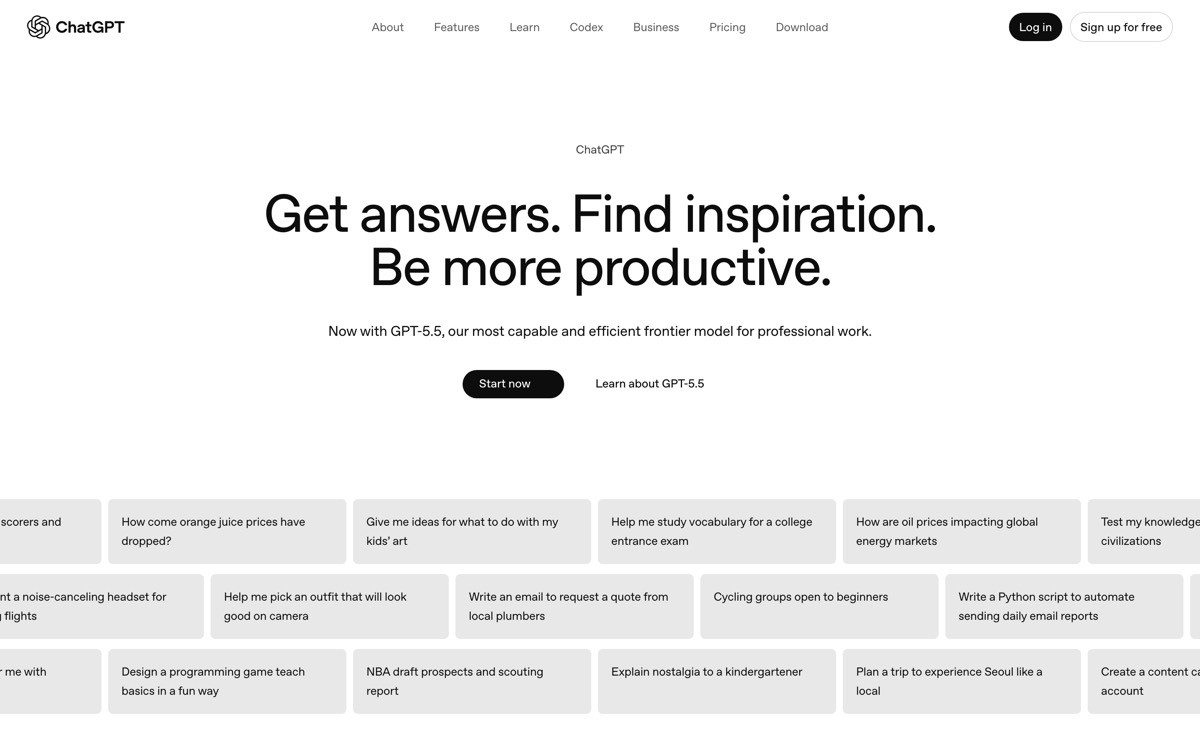
ChatGPT's onboarding is the most-used flow in AI software and the implicit baseline for the category. The signup is fast, there is no persona quiz, no feature tour, no welcome carousel. The user lands in an empty chat thread with one input field and a few example prompts, and the first reply is the entire tour. The product trusts that the user knows what a chat is and gets out of the way.
What is notable in 2026 is how ChatGPT's onboarding scales across the buyer pool without branching. A consumer, a small-team lead, and an enterprise admin all hit the same flow, and the differentiation happens after activation through settings, memory, and workspace controls. That single-flow design is harder to ship than the multi-track persona quiz pattern most challengers default to, and it converts much better.
Key strengths
No persona quiz, no welcome carousel, no feature tour
Example prompts as inline activation, not modal tutorials
Single flow that scales from consumer to enterprise without branching
First useful answer is the activation event, no setup gate
Memory and personas configured after activation, not before
Best for
Mass-market AI chat products with broad buyer pools
Tools where the first conversation can deliver value without context setup
Patterns to lift
Replace welcome modals with example prompts in the input field
Skip persona quizzes, let segmentation happen after activation
Treat the first generated reply as the only tour the product needs
Common mistakes founders make in this area
Adding a persona quiz to "personalise" onboarding, which delays the first wow
Replacing example prompts with a multi-step tour, which trains users to click through instead of typing
Cons of this approach
Only works when the model can produce a satisfying first answer, weak first responses break the flow
2. Anthropic Claude, best trust-first onboarding
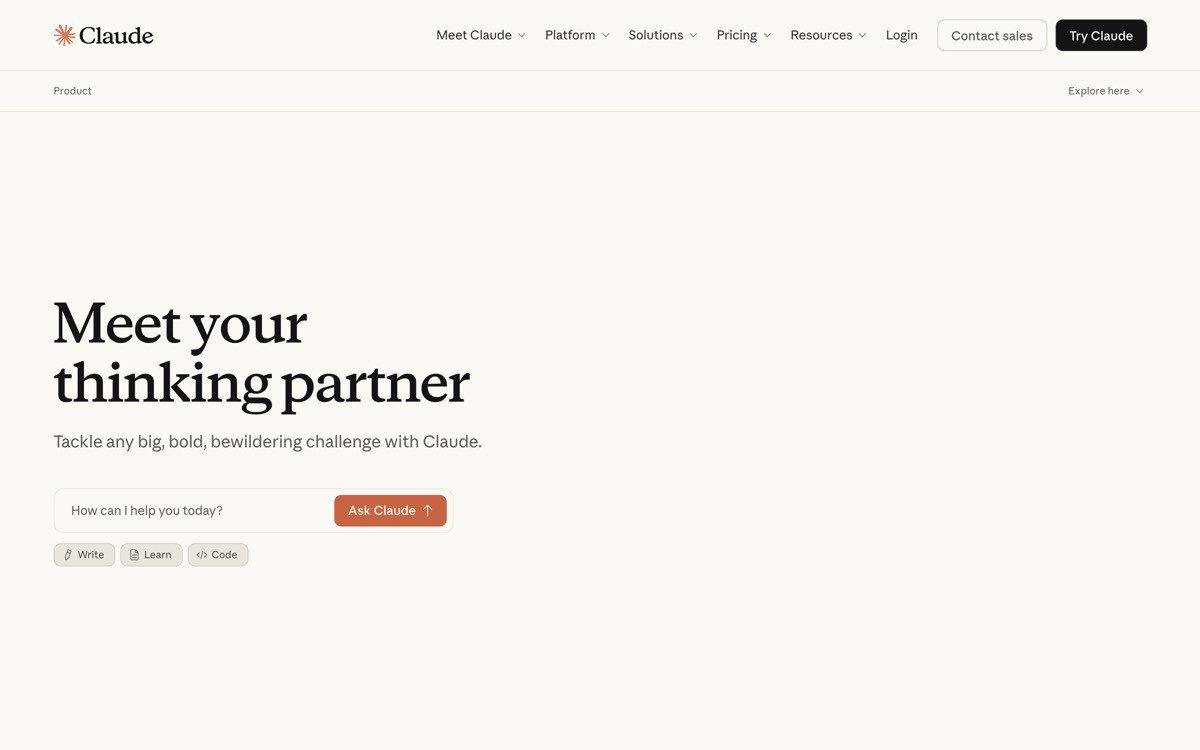
Claude's onboarding is the strongest 2026 example of leading with use cases instead of features. The first-run experience shows a small set of prompt suggestions framed as outcomes ("Summarise a document," "Write a draft," "Explain a concept") instead of capabilities ("Long context window," "200K tokens," "Computer use"). The user picks an outcome, sees a real artifact appear in the artifact pane, and learns the product by doing one useful thing well.
What is notable is how onboarding sets up trust. Claude surfaces safety and source-of-truth copy early in the flow, the artifact pane teaches the user that output is editable, and the model picker stays hidden until the user actually needs it. Every design choice is engineered for the enterprise and risk-averse buyer who associates AI with hallucination, and the activation rate benefits.
Key strengths
Outcome-framed prompt suggestions instead of feature lists
Artifact pane teaches editing as a first-run behaviour, not a hidden feature
Safety and source-of-truth copy surfaced early to address buyer fear
Model picker hidden until the user needs it, reduces first-run decisions
Persona setup minimal, real value comes from first artifact
Best for
AI products sold to enterprise, regulated, or risk-averse buyers
Tools where the first artifact is the activation event
Patterns to lift
Frame first-run prompts as outcomes ("Summarise X"), not features ("Use long context")
Surface the trust mechanism (citations, safety, editability) inside the first flow
Hide model and config choices until they matter, reduce decision load
Common mistakes founders make in this area
Listing model capabilities on first run, which speaks the team's language not the buyer's
Asking the user to configure a model or context length before they have produced anything
Cons of this approach
Outcome-framed prompts require ongoing curation, weak example prompts can hurt first-run conversion
3. Cursor, best developer onboarding
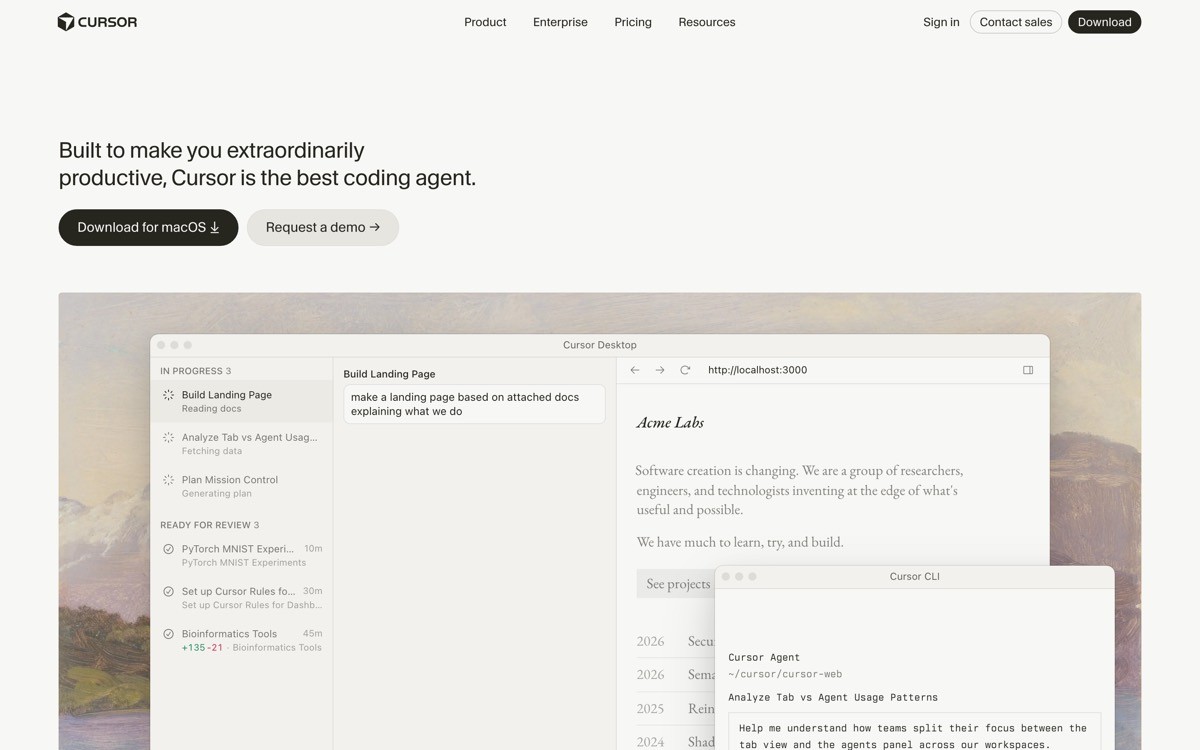
Cursor's onboarding is built around one move: import the user's existing codebase as the activation event. The install pulls the user's editor settings, the first run prompts them to open a real project, and the first AI edit is guided through the actual code they are working on. There is no "hello world" prompt, no demo repo, no tutorial. The first wow is "Cursor edited my real file correctly."
What is notable in 2026 is the guided first edit. Cursor surfaces an inline diff with accept and reject controls on the user's actual code, which teaches the trust pattern (per-hunk control, visible plan, stop affordance) on the first interaction. The user learns the agent UX by exercising it, not by reading about it, and the activation moment is also the credibility moment.
Key strengths
Codebase import as the activation event, no toy project or demo repo
First AI edit happens on real user code, with inline diffs and per-hunk control
Editor settings imported on install, no double configuration
Trust pattern (plan, diff, stop) demonstrated through use, not through copy
Pricing and tier upgrade prompts deferred until the user has shipped real work
Best for
Developer tools and coding agents
Products where the buyer has existing context (codebase, notes, project) the product can import
Patterns to lift
Import existing user context (code, notes, files) as the first-run setup
Run the first wow on real user data, not a demo dataset
Demonstrate trust controls through use, not through tooltips
Common mistakes founders make in this area
Shipping a demo project as the first-run experience, which trains users to treat the product as a toy
Asking the user to configure settings the install could have inherited
Cons of this approach
Onboarding quality depends on the agent's behaviour on real code, weak first edits damage the activation
4. Lovable, best try-before-signup onboarding
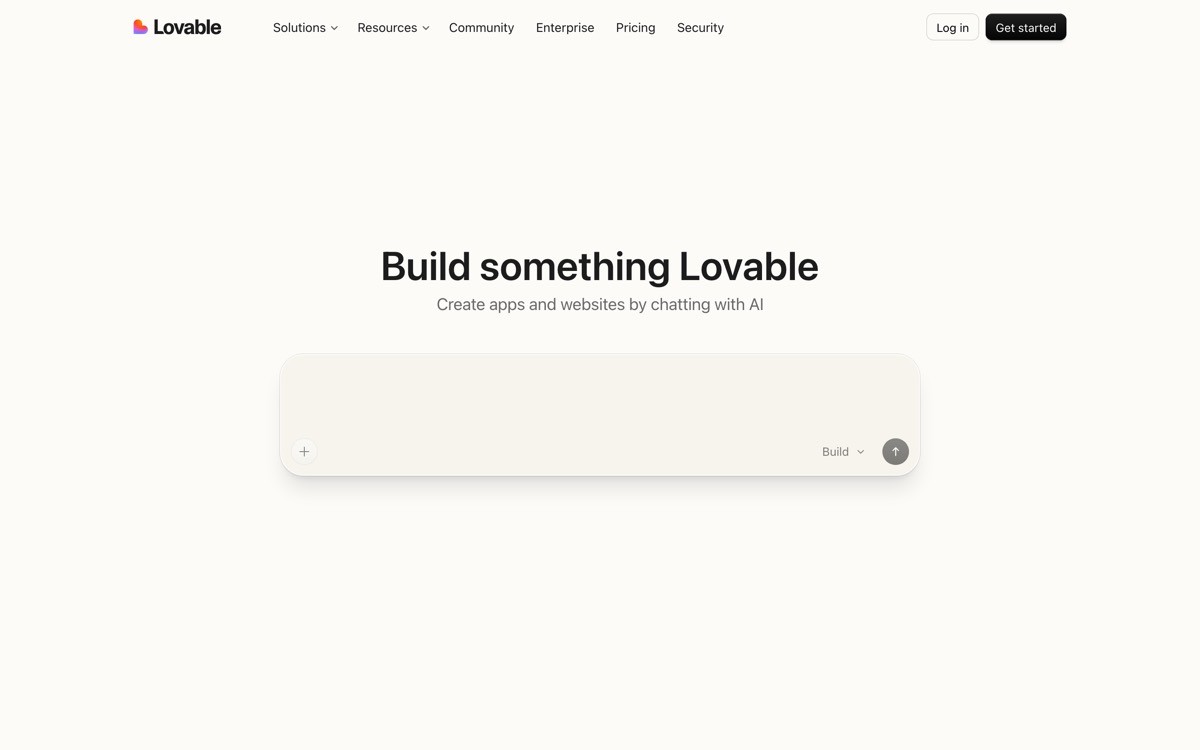
Lovable's onboarding is the cleanest 2026 expression of the "let the user produce value before asking for an email" pattern. The user lands on the marketing site, types a prompt into the hero input, and watches a real app generate in the preview pane. The signup gate appears only after the first app exists, which converts much higher than gating at the front door.
What is notable is the rollback and forking pattern inside onboarding. New users can revert any turn, fork to a new version, and iterate without losing earlier work, which gives non-technical founders permission to experiment during the most fragile part of the journey. The micro-copy stays warm and supportive throughout, and the build steps are surfaced in plain language instead of raw logs.
Key strengths
First app generates before the signup gate appears
Rollback and forking available during onboarding, not gated to paid tiers
Build steps surfaced in plain language, not raw logs
Warm micro-copy supports non-technical founders during the most fragile turns
First successful preview doubles as social-shareable artifact
Best for
Generative AI tools where the buyer wants to verify usefulness before signing up
Products targeting non-technical founders who fear breaking the app
Patterns to lift
Defer signup until the user has produced a real artifact, not on the front door
Make every onboarding turn reversible, build experimentation permission into the flow
Surface agent actions in human language, not in logs
Common mistakes founders make in this area
Gating signup before the first generation, which kills conversion on the highest-intent moment
Surfacing raw build logs that scare non-technical buyers out of the flow
Cons of this approach
Pre-signup generation costs real compute, the business model has to support it
5. Perplexity, best zero-friction onboarding
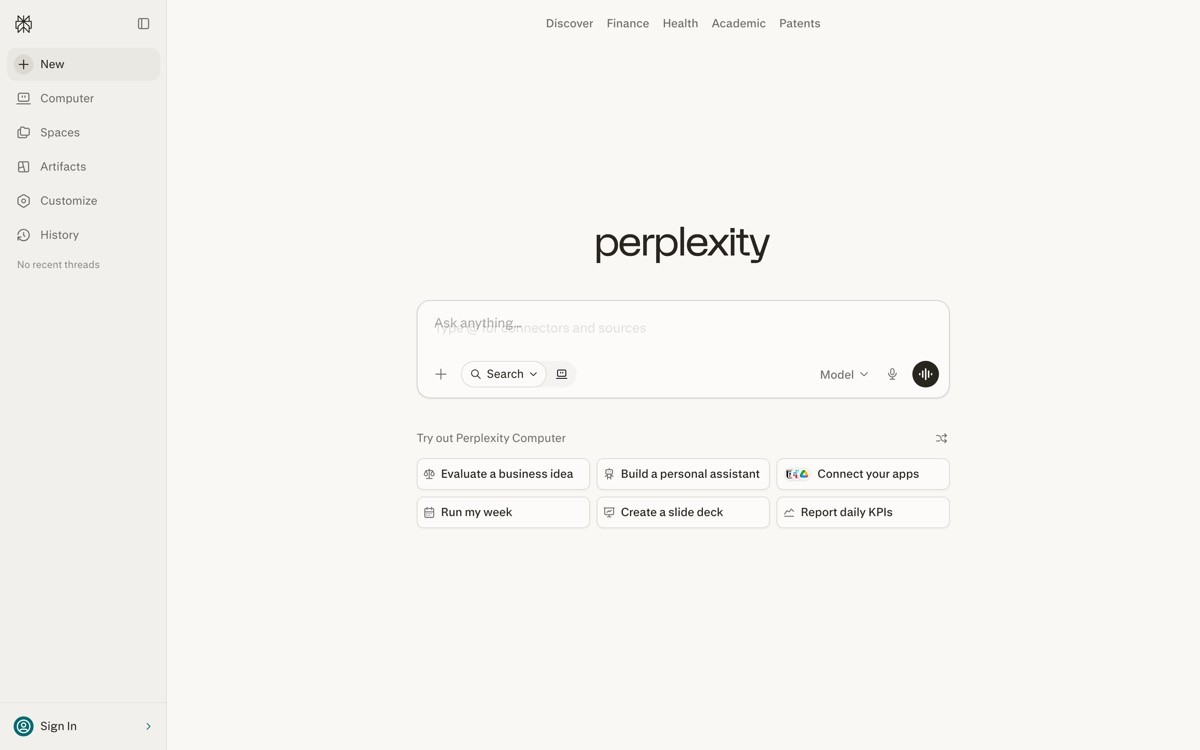
Perplexity's onboarding might be the most minimal in software: the search bar is visible on the homepage, anyone can ask a question, the answer appears with inline citations, and follow-up suggestions keep the session alive. There is no signup gate, no welcome modal, no persona quiz. The first sourced answer is the entire onboarding flow.
What is notable in 2026 is how Perplexity converts the zero-friction flow into account creation. The signup prompt appears only when the user tries to save a thread, sync across devices, or use Pro features. Activation precedes registration, which inverts the standard SaaS playbook, and the retention numbers reportedly justify the architecture.
Key strengths
Search bar usable without any signup, no front-door gate
First sourced answer is the entire onboarding flow
Follow-up suggestions convert search into research session
Signup prompt appears at save or sync moments, not on first visit
Pro tier teased after the user has experienced free value, not before
Best for
AI products where the primary action can run anonymously without quality loss
Tools competing on accessibility and immediacy of first value
Patterns to lift
Let the user perform the primary action without an account where possible
Defer signup to the first "save," "sync," or "premium feature" moment
Use follow-up suggestions to extend single interactions into sessions
Common mistakes founders make in this area
Gating the primary action behind signup, which loses high-intent first-time users
Asking for an email before the user has experienced any value, training them to bounce
Cons of this approach
Anonymous first runs are harder to attribute, marketing analytics need extra work
6. Granola, best ambient onboarding
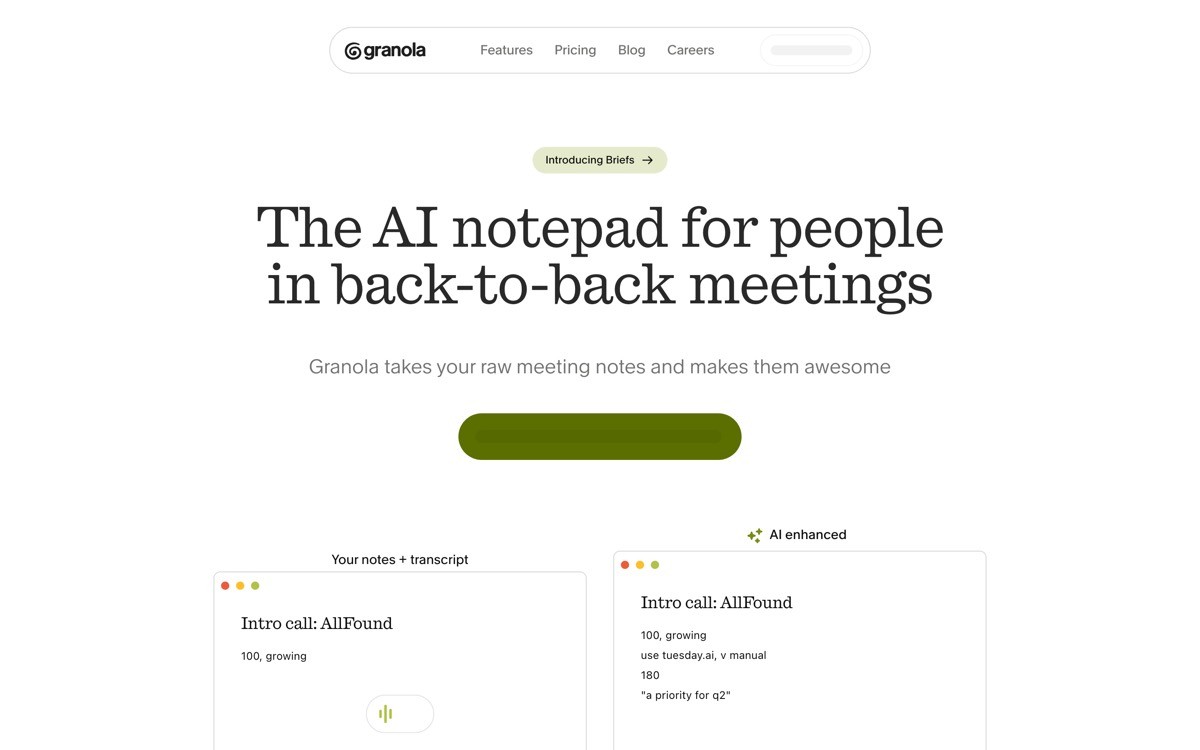
Granola's onboarding is the strongest 2026 example of an ambient AI activation. After install, the product captures the user's next meeting automatically, augments the user's typed notes with summary and action items in place, and the first augmented document is the activation event. There is no tour, no demo meeting, no fake transcript. The first real meeting is the product.
What is notable is the trust pattern in onboarding. Granola surfaces privacy and storage copy at the point of capture (not buried in settings), the augmentations are visually distinct from user-typed notes, and the user can edit any AI suggestion as plain text. Onboarding teaches that the human owns the document, the AI augments, which sets expectations correctly from the first run.
Key strengths
First real meeting is the activation event, no demo recording
Privacy and storage copy at the point of capture, not buried in settings
AI augmentations visually distinct from user-typed content from turn one
User can edit any AI suggestion as plain text without entering a special mode
Post-meeting summary inherits the live notes, no duplicate processing step
Best for
Ambient AI tools that augment ongoing user workflows
Products where the first real use case beats any demo
Patterns to lift
Use the first real workflow as the activation event, not a sample dataset
Surface privacy and data-handling copy at the point of capture
Distinguish AI-generated content visually from the first turn
Common mistakes founders make in this area
Shipping a sample meeting or sample transcript that does not feel like the user's real work
Hiding privacy copy in settings, raising suspicion during the first capture
Cons of this approach
Requires the user to have a real use case ready on day one, can stall onboarding for late adopters
7. v0, best generative onboarding
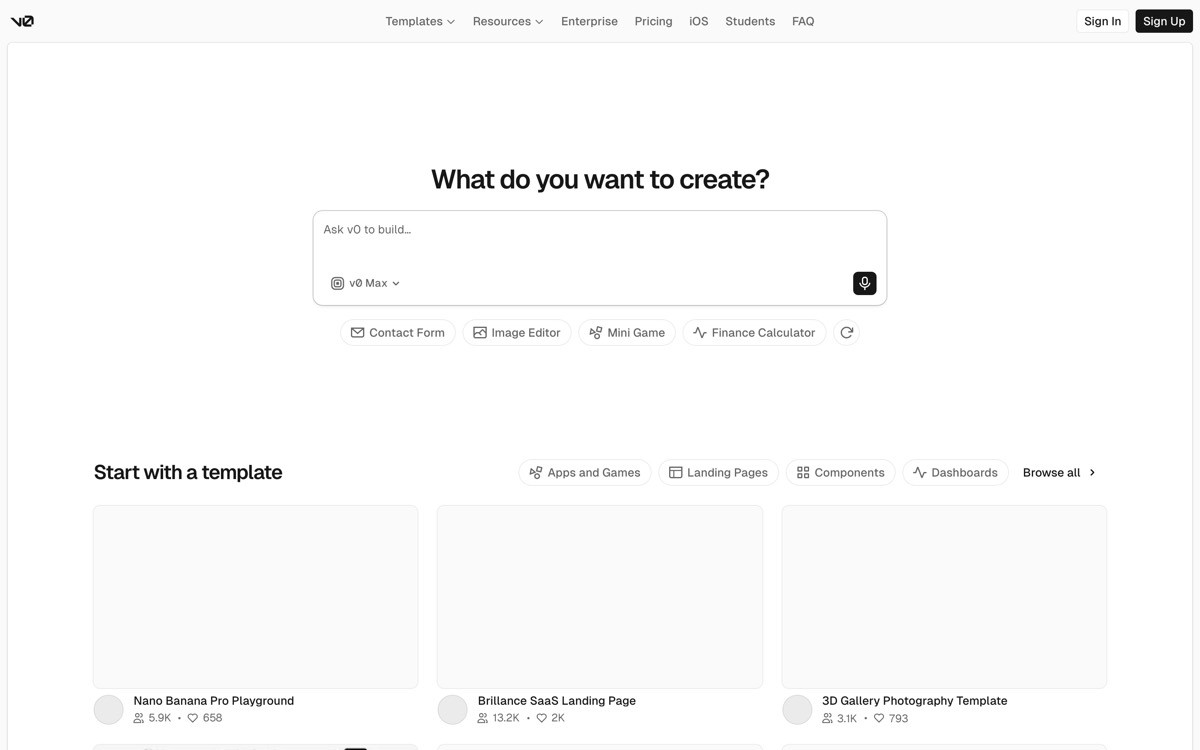
v0's onboarding is the clearest 2026 example of "the first generation is the wow moment." The user can describe a component on the homepage, watch v0 generate the JSX and render the preview, and iterate by typing changes without ever creating an account. The first rendered component is the activation event, and the signup prompt appears only when the user wants to fork, save, or export.
What is notable is the iteration loop inside onboarding. Every prompt creates a new version, and the user can branch, compare, and revert during the first session. That treats agent output as forkable, not destructive, which gives new users permission to play. By the time the signup gate appears, the user has produced something they want to keep, which inverts the standard "register to try" pattern.
Key strengths
First component generates without an account, no front-door gate
Forking and branching available from turn one, not gated to paid plans
Code and preview both accessible during onboarding, neither hidden
Signup prompt appears at fork or save, after user has produced value
One-click handoff to Next.js or other React projects, no separate export tutorial
Best for
Generative UI tools and AI-built component products
Agents whose output is a visual artifact the user wants to keep
Patterns to lift
Let the user generate before signup, gate on save or fork instead
Treat every prompt as a fork, not a destructive edit
Surface both code and preview from the first turn
Common mistakes founders make in this area
Forcing signup before the first generation, which loses the highest-intent visitors
Treating each prompt as destructive, which punishes experimentation during onboarding
Cons of this approach
Pre-signup generation requires the business model to absorb anonymous compute cost
How to choose the right AI onboarding pattern for your product
1) Can your product deliver value in the first thirty seconds?
If yes (Lovable, Perplexity, v0, ChatGPT), put the primary action on the front door and defer signup. If no (Cursor, Granola, products that need a codebase, integration, or meeting context), use install or import as the activation event and design the first guided action around real user data. The wrong choice burns the activation window before the user sees anything work.
2) Should you gate signup before or after first value?
Defer signup whenever possible. Perplexity, Lovable, and v0 all run the primary action anonymously and gate on the first save, sync, or fork. That inverts the standard "register to try" pattern and converts higher because the user has already invested effort. Only gate first if the primary action cost is high enough that the business model breaks without it.
3) Does the user have existing context the product can import?
If the buyer arrives with a codebase, a calendar, a notes archive, or a workspace the product can integrate with, use that context as the activation event (Cursor with the codebase, Granola with the next meeting). Importing real context is dramatically higher value than a demo dataset, and it teaches the trust pattern through real use. If there is no context to import, design the first-run flow around the strongest possible single artifact.
4) Who is the buyer, and what do they fear during onboarding?
Enterprise buyers fear data risk: surface privacy copy early (Anthropic, Granola). Developer buyers fear destructive change: show diffs and per-step controls on the first edit (Cursor). Non-technical buyers fear breaking the app: build rollback into onboarding (Lovable). The activation flow has to address the fear the buyer brought with them, not the feature list the team is proud of.
If you have picked your onboarding pattern but activation still feels weak, the fix is rarely more steps. It is faster first value, deferred signup, real first artifacts, and a trust pattern that matches the buyer's fear. AY Design redesigns onboarding flows for AI products built with Lovable, Bolt, v0, and Cursor so the first thirty seconds feel unicorn-grade, not templated. Book a design audit and we will show you which pattern fits your buyer and what to cut first.
FAQ
What is AI product onboarding?
AI product onboarding is the first-run experience that takes a new user from signup or first visit to their first useful generated output. For AI products specifically, the goal is to deliver a wow moment in the first thirty seconds, where the wow is the actual model output, not a tour. Strong examples in 2026 include ChatGPT, Claude, Cursor, Lovable, Perplexity, Granola, and v0.
Which AI product has the best onboarding flow in 2026?
For developer agents, Cursor leads because the install imports the codebase and the first AI edit runs on real user code. For generative tools, Lovable and v0 lead because the first artifact appears before any signup gate. For research and knowledge tools, Perplexity sets the bar with a zero-friction search. The "best" depends on whether your buyer has context to import and whether the primary action can run anonymously.
Should I require signup before users try my AI product?
Usually no. The strongest AI onboarding flows in 2026 (Lovable, Perplexity, v0) defer signup until the user has produced something worth saving. Front-door signup gates kill conversion on the highest-intent traffic, and most "register to try" patterns are inherited from a previous SaaS era that AI does not need.
How long should AI onboarding take?
Time to first useful output should be under thirty seconds, ideally under ten. Anything longer puts the activation window at risk. The total onboarding (signup, configuration, first artifact) should be under three minutes for most AI tools. Tools with mandatory data import (Cursor, Granola) can extend a little longer if the first artifact is worth the wait.
Should AI onboarding include a feature tour?
Almost never. ChatGPT, Claude, Cursor, Perplexity, and Lovable all skip the feature tour and let the first generated output do the teaching. Tours train users to click through, push activation to step five, and rarely raise engagement. Inline example prompts, real-data first runs, and visible agent behaviour beat tours in every modern AI flow that has been A or B tested publicly.
What is a good activation event for an AI product?
An activation event is the first moment the user produces something with the product they would not have produced without it. For chat tools, it is the first useful answer (ChatGPT). For coding agents, the first accepted file diff (Cursor). For generative tools, the first rendered artifact (Lovable, v0). For ambient agents, the first augmented real-data output (Granola). Pick the event, then design every step of onboarding to reach it as fast as possible.
Should I use a persona quiz during onboarding?
Skip it. Persona quizzes delay the first wow, train users to fill forms instead of using the product, and rarely deliver a measurable lift in retention compared to a fast first artifact. The strongest AI flows in 2026 run a single onboarding path and let segmentation happen after activation through settings, memory, and workspace controls.
How do I onboard non-technical users to an AI product?
Three moves: defer signup until the first artifact, surface every agent action in plain language (not logs), and make every onboarding turn reversible so experimentation feels safe. Lovable and v0 are the best 2026 examples of this approach. Warm micro-copy and visible rollback reduce the fear that pushes non-technical buyers out of AI tools during the first session.
Checkout other Blogs:

Multi-agent system UX design guide for 2026
A pattern-by-pattern guide to designing multi-agent system UX in 2026, with a scoring matrix and references from Claude Code, LangGraph, Devin, and Replit Agent.
Author:
AY Designs Team

Human-in-the-loop AI design guide for 2026
A 2026 guide to human-in-the-loop AI design with patterns, scoring framework, and examples from Cursor, Claude Code, Stripe, and Notion AI.
Author:
AY Designs Team

How to design agentic AI products in 2026: a 7-step playbook
A seven-step design playbook for shipping agentic AI products that users actually trust, with scoring matrix and real product references from Cursor, Claude Code, Devin, and Perplexity.
Author:
AY Designs Team

How much does AI SaaS design cost in 2026?
AI SaaS design cost in 2026 by tier and engagement type, with ranges, timelines, and a value scorecard for founders shipping with Lovable, Bolt, and v0.
Author:
AY Designs Team