Bolt.new is the fastest path from prompt to running app in 2026. Because the full Node.js stack executes inside the browser through WebContainers, the loop between "describe an app" and "see it running" is measured in seconds, not minutes. That speed changed the kind of apps founders ship with it: weekend prototypes, live demos in pitch meetings, customer-facing MVPs, and a long tail of one-off internal tools.
This guide walks through the best Bolt.new app examples and patterns in 2026, grouped by what they actually let founders do. For each, you get a sense of what the generated starting point includes, why Bolt is the right fit for that pattern, and what to watch out for when you take the result from "running in the browser" to "deployed and used by real people."
TL;DR, the strongest Bolt.new patterns in 2026 are the full-stack SaaS prototype for fast B2B validation, the AI tool wrapper for vertical copilots, the design portfolio site for shipping a polished page in a day, the internal CRUD app for ops workflows, the API explorer for developer tools, and the ecommerce micro-store for limited-SKU sellers.
Best Bolt.new examples and patterns: a brief overview
Full-stack SaaS prototype: Best overall pattern for fast B2B validation, runs the full Node stack in the browser with React, Next.js, and Supabase.
AI tool wrapper: Best for shipping a vertical AI copilot or LLM-powered single-purpose tool over a weekend.
Design portfolio or one-page site: Best for shipping a polished single-page site in a day with Astro or Next.js.
Internal CRUD app: Best for ops workflows where the value is a database UI, not a polished consumer product.
API explorer or developer tool: Best for shipping a developer-facing utility that wraps a third-party API.
Ecommerce micro-store: Best for limited-SKU sellers who want full control over checkout UX without Shopify.
Real-time collaboration prototype: Best for testing multi-user features like shared cursors, presence, or live editing.
Pattern | Key strength | What you get | Best fit |
|---|---|---|---|
Full-stack SaaS prototype | Next.js plus Supabase running in the browser | Auth, database, deploys, live preview | B2B SaaS validation |
AI tool wrapper | LLM streaming inside browser sessions | Chat UI, prompt config, API key handling | Vertical copilots |
Design portfolio site | Astro or Next.js single-page output | Hero, sections, contact form | Solo founders, designers |
Internal CRUD app | Tables and forms wired to a database | Editable tables, role-based auth | Ops and back-office |
API explorer tool | Browser-based REST or GraphQL explorer | Endpoint UI, request builder, response viewer | Developer tools |
Ecommerce micro-store | Product page plus Stripe checkout | Catalog, cart, checkout | Limited-SKU sellers |
Real-time collab prototype | Multi-user features with WebSockets | Presence, cursors, live state | Collaborative products |
1. Full-stack SaaS prototype, best overall pattern for fast B2B validation
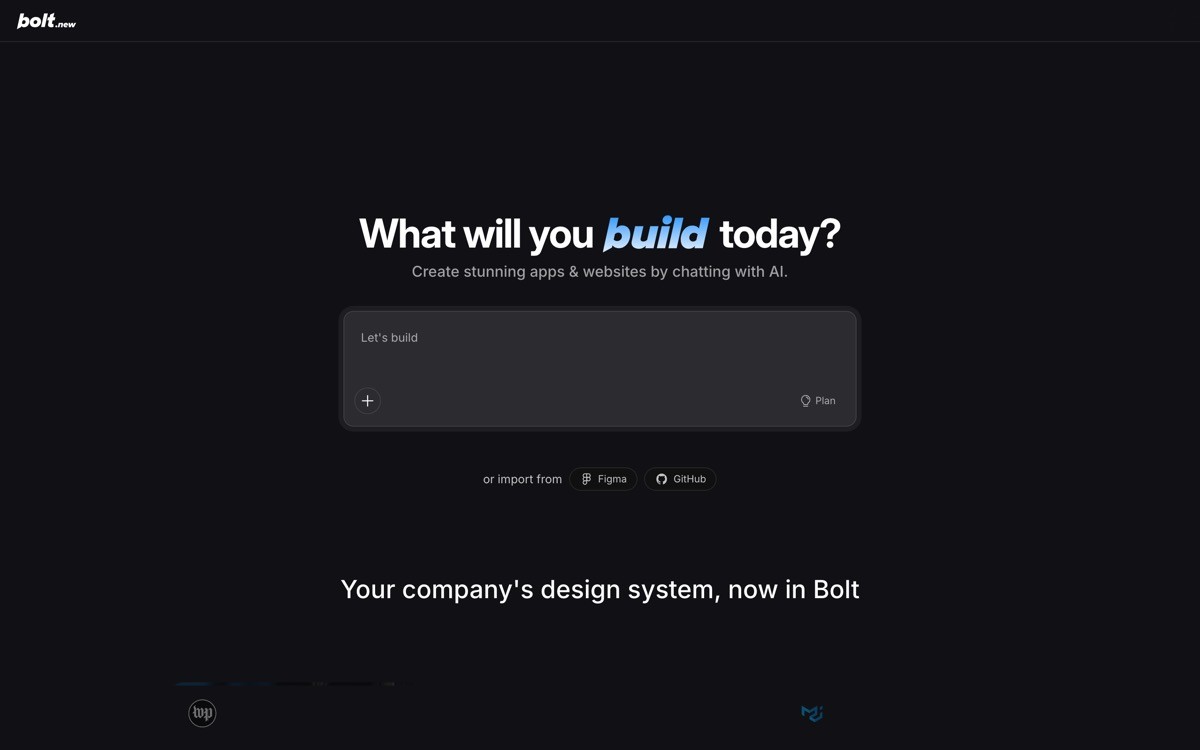
The full-stack SaaS prototype pattern in Bolt.new is a Next.js or React app with auth, a database, and a deployed URL, all generated and running inside a single browser tab. It is the strongest pattern for founders who want to validate a B2B SaaS idea by putting a real product in front of users this week, not next month.
What makes Bolt the right tool for this pattern is the browser-execution loop. You see the app running while you prompt it. There is no "build, wait, refresh" rhythm. That speed is what makes Bolt the fastest pattern in this list for going from idea to clickable prototype to deployed product that real users can sign up for.
Key strengths
Next.js or React app generated end-to-end from a prompt
Supabase or similar wiring for auth and persistence
Live in-browser preview that updates every edit
One-click deploy to Netlify or Vercel
npm packages install and run in the browser
Project state is fully exportable to GitHub
Best for
B2B SaaS founders shipping a validation MVP this week
Solo builders demoing a working concept in a pitch meeting
Product teams prototyping a new feature before committing engineering time
Pricing
Free tier with daily message limits
Pro paid plans for higher limits and longer browser sessions
Pros
Fastest prompt-to-running-app loop of any tool in the category
No local install, no environment setup, runs entirely in the browser
Output is real code you can take to GitHub and keep building
Cons
Browser memory limits cap how large the project can grow inside Bolt
Default UI looks AI-built without intentional design iteration
2. AI tool wrapper, best for vertical copilots over a weekend
The AI tool wrapper pattern in Bolt.new is a single-purpose app that wraps an LLM API into a chat or form interface for a specific use case. It is the right pattern for founders who want to ship a vertical copilot, a niche AI utility, or a chat-first product without spending the weekend wiring streaming responses from scratch.
The distinctive value is how cleanly Bolt handles the boilerplate. Token streaming, abort handling, conversation state, and an input UX that does not stutter on long responses are all easy to prompt for and easy to iterate on. That leaves you free to focus on the system prompt, the data, and the tools your copilot calls, which is where the actual product lives.
Key strengths
Streaming response UI with markdown rendering
Configurable system prompt and model
API key input handled inside the browser session
Conversation history stored locally or via Supabase
Easy to swap LLM providers as the landscape shifts
Best for
Founders shipping a vertical copilot for a specific industry workflow
Indie hackers prototyping LLM utilities for niche audiences
Product teams testing a chat layer over their own data
Pricing
Pattern works inside Bolt's free and paid plans
LLM provider tokens are billed separately
Pros
Cleanest pattern for shipping a single-purpose AI tool in a day
Live preview makes prompt and UX iteration fast
Output is real code, so it scales beyond the Bolt session
Cons
Tool-use and agentic flows still require manual prompt engineering
Persisting conversation history needs an external service for real users
3. Design portfolio or one-page site, best for shipping a polished page in a day
The design portfolio pattern in Bolt.new is a single-page marketing or portfolio site built with Astro, Next.js, or plain React and Tailwind. It is the right pattern for designers, freelancers, and solo founders who need a real site live by tonight.
The distinctive value is the speed of iteration. You can prompt for a new section, regenerate the hero in a different tone, swap fonts, change spacing, and see the result instantly. For a one-page site, that loop beats every dedicated no-code builder in raw speed, even if the visual ceiling is slightly lower.
Key strengths
Astro, Next.js, or React with Tailwind output
Single-page layout with hero, sections, and contact
Static export for cheap or free hosting
One-click deploy to Netlify
Easy to swap fonts, color palette, and copy by prompt
Best for
Designers and freelancers shipping a portfolio in a day
Solo founders launching a personal brand page
Quick coming-soon or waitlist pages before a product launches
Pricing
Free tier covers most one-page site projects
Paid plan needed for longer sessions or higher complexity
Pros
Fastest path from blank page to deployed site for a single-page project
Real code output means the site is yours and easy to extend later
Easy iteration on copy, type, and layout without leaving the prompt loop
Cons
Visual ceiling is lower than Framer or v0 for marketing-heavy pages
Complex animations and scroll effects need manual code work
4. Internal CRUD app, best for ops workflows
The internal CRUD app pattern in Bolt.new is a small app that reads and writes to a database with tables, forms, and basic auth. It is the right pattern for ops teams, support managers, and founders running back-office workflows where the audience is internal and the value is in saving time.
The distinctive value is how disposable the result feels. Bolt is fast enough that prototyping a one-off internal tool is realistic, and the in-browser execution means you can demo the tool inside Bolt itself for an internal team while you decide whether it earns its way to a real deploy.
Key strengths
Editable data tables wired to Supabase or Postgres
Forms for creating and updating records
Basic auth and role-based access
Search and filter UI
Easy to iterate on workflow logic by prompt
Best for
Ops and support teams running back-office workflows
Founders prototyping internal admin dashboards
Small teams that need a fast data UI without a paid internal-tool platform
Pricing
Pattern fits within standard Bolt plans
No per-seat costs for internal users
Pros
Cheaper than per-seat internal-tool platforms at any meaningful team size
Real code output, so the tool survives the migration when the team grows
Fast enough that throwaway internal tools become viable
Cons
Default look is functional rather than polished
Complex permissions models need explicit prompting
5. API explorer or developer tool, best for developer-facing utilities
The API explorer pattern in Bolt.new is a developer-facing utility that wraps a third-party REST or GraphQL API into a clean UI for testing, exploring, or running specific operations. It is the right pattern for developer tools, internal admin utilities, and quick wrappers around APIs your team uses often.
The distinctive value is the live network access. Because Bolt runs real Node code in the browser, you can make actual API requests during development, inspect responses, and iterate on the UI in the same loop. That is significantly faster than building a developer tool in a traditional environment.
Key strengths
Live API requests from the browser session
Request builder UI for headers, params, and body
Response viewer with JSON formatting
Authentication and token handling
Saved requests and history
Best for
Developer-tool founders shipping a utility for a specific API
Internal teams wrapping their own API into an admin UI
Indie hackers building quick utilities for niche developer audiences
Pricing
Pattern fits within Bolt's standard plans
API provider fees apply separately
Pros
Fastest pattern in this list for shipping a developer utility
Live network calls during prompt-and-iterate keep the loop tight
Output is real code, easy to extend with a developer team later
Cons
Browser-based execution can hit CORS issues with some APIs
API keys handled in the browser need careful production review
6. Ecommerce micro-store, best for limited-SKU sellers
The ecommerce micro-store pattern in Bolt.new is a small product catalog with a cart and Stripe checkout, deployed as a static or Next.js site. It is the right pattern for digital-product creators, single-SKU launches, and small-batch physical goods where Shopify is overkill.
The distinctive value is checkout control. Most off-the-shelf ecommerce platforms standardize the checkout UX, which is the highest-leverage conversion surface in any store. Building a micro-store in Bolt means the checkout flow and the brand expression are entirely yours, which matters when the product is the brand.
Key strengths
Product catalog with images, descriptions, and variants
Cart and Stripe checkout
Order confirmation and basic email handling
Static or server-rendered output
Cheap or free hosting
Best for
Digital-product creators selling templates, courses, or downloads
Single-SKU or limited-batch physical goods
Founders launching a product before justifying a Shopify subscription
Pricing
Pattern fits within Bolt's standard plans
Stripe transaction fees apply
Pros
Full control over the checkout UX and brand
Cheaper than Shopify for low-SKU stores
Fast iteration on product page design and copy
Cons
Misses Shopify's ecosystem of apps and integrations
Inventory and fulfillment for physical goods need extra logic
7. Real-time collaboration prototype, best for multi-user feature tests
The real-time collaboration pattern in Bolt.new is a multi-user prototype with shared state, presence indicators, and live cursors built on top of a WebSocket or sync service. It is the right pattern for founders prototyping collaborative products before committing to the engineering work of a production-grade sync layer.
The distinctive value is testing the feel. Real-time collaboration is a UX category where the feel of the product, latency, conflict resolution, presence cues, is the differentiator. Bolt lets you prototype that feel fast enough to test multiple approaches before locking in.
Key strengths
WebSocket or Yjs-based sync for shared state
Presence indicators showing active users
Live cursors or selection sharing
Conflict-free data types for collaborative editing
Real-time UI updates with no flicker
Best for
Founders prototyping collaborative editing products
Product teams testing multi-user features before committing engineering time
Designers exploring real-time UX patterns with working code, not Figma
Pricing
Pattern fits within Bolt's standard plans
Sync services like Yjs or Liveblocks are billed separately at scale
Pros
Fastest way to test the feel of a collaborative product with real code
Live preview shows the multi-user behavior immediately
Output is real code that can be hardened for production later
Cons
Production-grade sync requires significant work beyond the prototype
Conflict resolution for non-trivial data models is its own engineering problem
How to choose the right Bolt.new pattern for your project
1) Do you need to ship today or this week?
If the answer is today, lean into Bolt's strength and use the design portfolio, AI tool wrapper, or full-stack SaaS prototype pattern. The in-browser execution loop is hard to beat for one-day projects. If you have a week, you can do more, but be honest about the scope creep risk that comes with extra time.
2) Is the product the experience or the data?
If the value of the product is the experience (collaborative editing, AI chat, polished marketing page), use Bolt patterns that match: real-time collab prototype, AI tool wrapper, design portfolio. If the value is the data and the workflow (internal CRUD, SaaS dashboard, ecommerce store), pick the corresponding pattern and accept that the visual polish will need an additional pass before users see it.
3) How big will the project realistically grow?
Bolt's browser execution caps how large any single project can grow before you outgrow the in-tab environment. If you expect the project to stay under that ceiling for at least your first month of users, Bolt is the right home for it. If you expect to outgrow the in-tab environment fast, build the prototype in Bolt, push the code to GitHub, and continue inside an IDE like Cursor before the project gets unwieldy.
4) Are you shipping for users, your team, or yourself?
External users (paying customers) need real design, accessibility, and brand work, which means the Bolt output is the start, not the finish. Internal teams tolerate functional UI as long as the workflow saves time. Personal tools tolerate almost anything. Match the polish budget to the audience honestly.
If you have shipped your Bolt prototype but want a design partner to turn the AI-built output into a profitable, human-grade product, landing pages that convert, dashboards that do not look templated, brand systems that feel unicorn-grade, that is what AY Design does. We help founders and product teams ship AI-built SaaS that does not look AI-built. Book a design audit to see what to fix first.
FAQ
What is Bolt.new?
Bolt.new is an AI app builder from StackBlitz that runs the full Node.js stack inside the browser using WebContainers, so generated apps execute live in the same tab as the editor. It is widely used in 2026 for shipping prototypes, MVPs, AI tool wrappers, and one-off internal apps without local environment setup.
What kinds of apps can I build with Bolt.new?
You can build full-stack web apps with Bolt.new, including SaaS prototypes, AI tool wrappers, internal CRUD apps, marketing sites, ecommerce micro-stores, developer utilities, and real-time collaboration prototypes. Bolt is best suited to web apps that fit within a browser-tab execution environment, not native mobile apps or heavy data-processing workloads.
Is Bolt.new free?
Yes, Bolt.new has a free tier with daily message and session limits that is enough to ship a prototype and validate an idea. Pro paid plans unlock higher limits, longer browser sessions, and more concurrent projects.
Can I deploy a Bolt.new app to production?
Yes, Bolt.new apps can be deployed to Netlify, Vercel, or any compatible host with one click, and the underlying code is exportable to GitHub so you can continue working on it in any IDE. Production-grade scaling typically requires moving the project out of the Bolt browser environment once it grows past the in-tab limits.
What is the difference between Bolt.new and Lovable?
Bolt.new runs the full Node stack in the browser for the fastest possible prompt-and-iterate loop, which makes it the best choice for prototypes and same-day apps. Lovable focuses on full-stack apps with auth and database wiring as the default, which makes it stronger for non-technical founders shipping a real product that needs to stay live for months.
What is the difference between Bolt.new and v0?
Bolt.new generates full-stack web apps that run live in the browser, while v0 by Vercel generates frontend React components using shadcn primitives that you drop into a Next.js project. Bolt is the right pick for "ship a working app in a day," v0 is the right pick when frontend polish is the single biggest differentiator.
What is the best Bolt.new example for a B2B SaaS founder?
The strongest Bolt.new example for a B2B SaaS founder is a full-stack SaaS prototype built on Next.js with Supabase auth and a basic dashboard, which covers the first three to five prompts of every B2B product build. From there, the unique workflow that justifies your SaaS is what you spend the rest of your prompts on.
What happens when my Bolt-built app stops looking custom?
Most AI-built apps hit a design ceiling within the first three to six months as the generic look starts costing trust, conversion, and retention. At that point founders typically bring in a design partner to redesign landing pages, rebuild the dashboard UX, and ship a brand system that makes the product feel intentional. An AI-product design agency handles that work without forcing you to rebuild the app from scratch.
Checkout other Blogs:

Multi-agent system UX design guide for 2026
A pattern-by-pattern guide to designing multi-agent system UX in 2026, with a scoring matrix and references from Claude Code, LangGraph, Devin, and Replit Agent.
Author:
AY Designs Team

Human-in-the-loop AI design guide for 2026
A 2026 guide to human-in-the-loop AI design with patterns, scoring framework, and examples from Cursor, Claude Code, Stripe, and Notion AI.
Author:
AY Designs Team

How to design agentic AI products in 2026: a 7-step playbook
A seven-step design playbook for shipping agentic AI products that users actually trust, with scoring matrix and real product references from Cursor, Claude Code, Devin, and Perplexity.
Author:
AY Designs Team

How much does AI SaaS design cost in 2026?
AI SaaS design cost in 2026 by tier and engagement type, with ranges, timelines, and a value scorecard for founders shipping with Lovable, Bolt, and v0.
Author:
AY Designs Team